Integration Updates: Salesforce Chatter and Zendesk#
Salesforce Chatter sync. Chatter posts and threaded comments are now synced as interactions. Chatter activity appears in company timelines and is accessible to the AI assistant.
Improved Zendesk ticket matching. Zendesk ticket matching now considers collaborators and CCs for better association accuracy with Cust contacts.
Email and Inbox Improvements#
Inline image support. Emails with embedded images now render correctly in the inbox and interaction views. Non-referenced attachments are displayed as downloadable files below the email body.
Reopen archived conversations. Previously archived inbox conversations can now be reopened with a single click.
Auto-archive Gmail threads after reply. A new organization setting automatically archives Gmail threads and marks them as read once a reply is sent from Cust.
Bulk conversation actions. Select multiple conversations in the inbox to archive them in bulk.
Workflow Automation: Signals, Steps, and Filters#
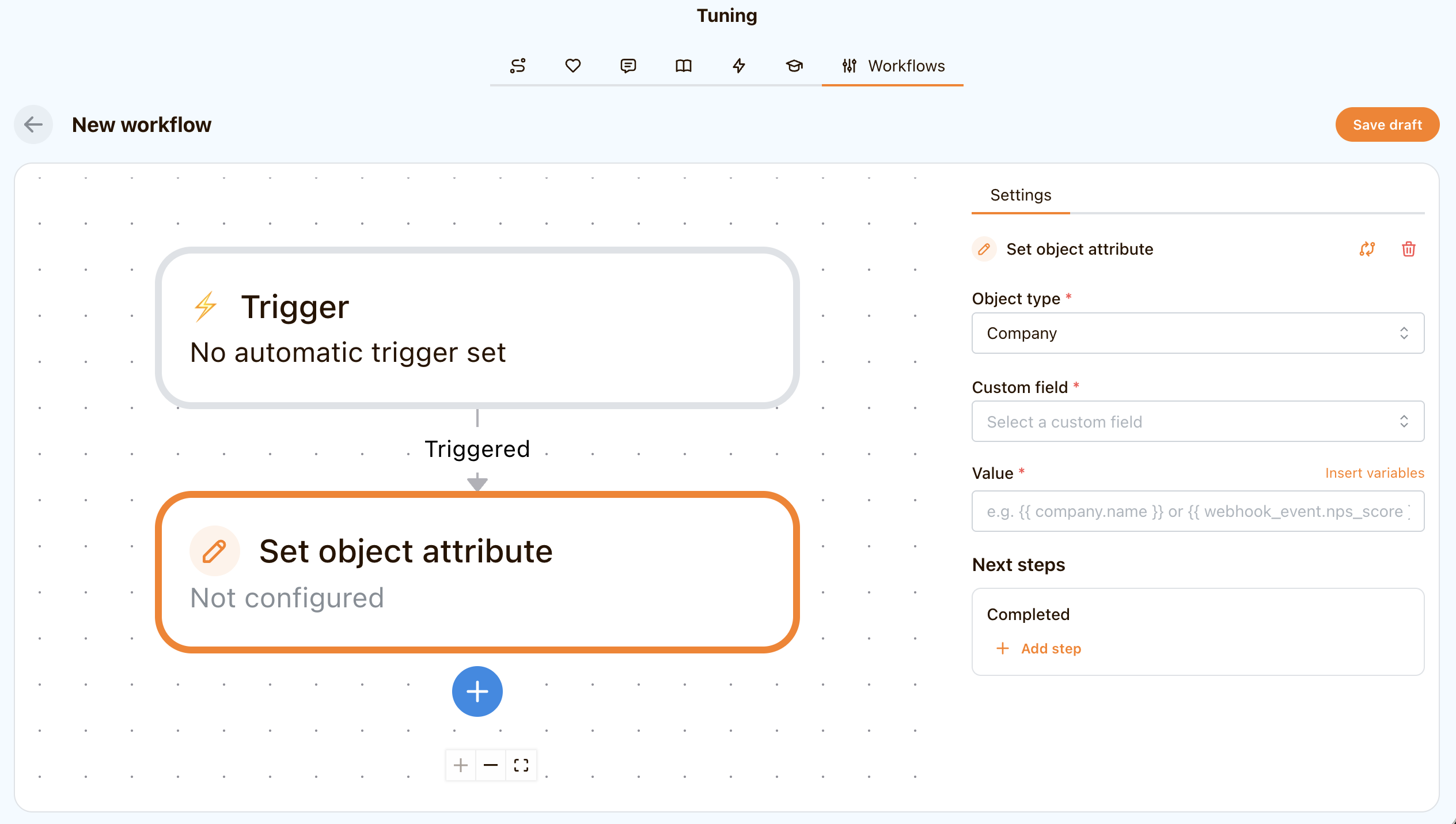
New signals.
- Webhook signals trigger workflows when a payload arrives at a Cust-generated URL.
- Product event signals trigger workflows based on product usage events synced from Mixpanel or Snowflake.
New workflow steps.
- "Set object attribute" automatically writes values into custom fields on company or contact records.
- "Add to guidance" enrolls companies into a guidance program as an automated action.
Expanded filter support. Workflow filters now support Contacts and Webhook Events in addition to company attributes. Metric-based filtering is also available, including trend-based lookups like percentage change over a configurable time window.
Skills and Scripts, Knowledge Base, and Custom Objects#
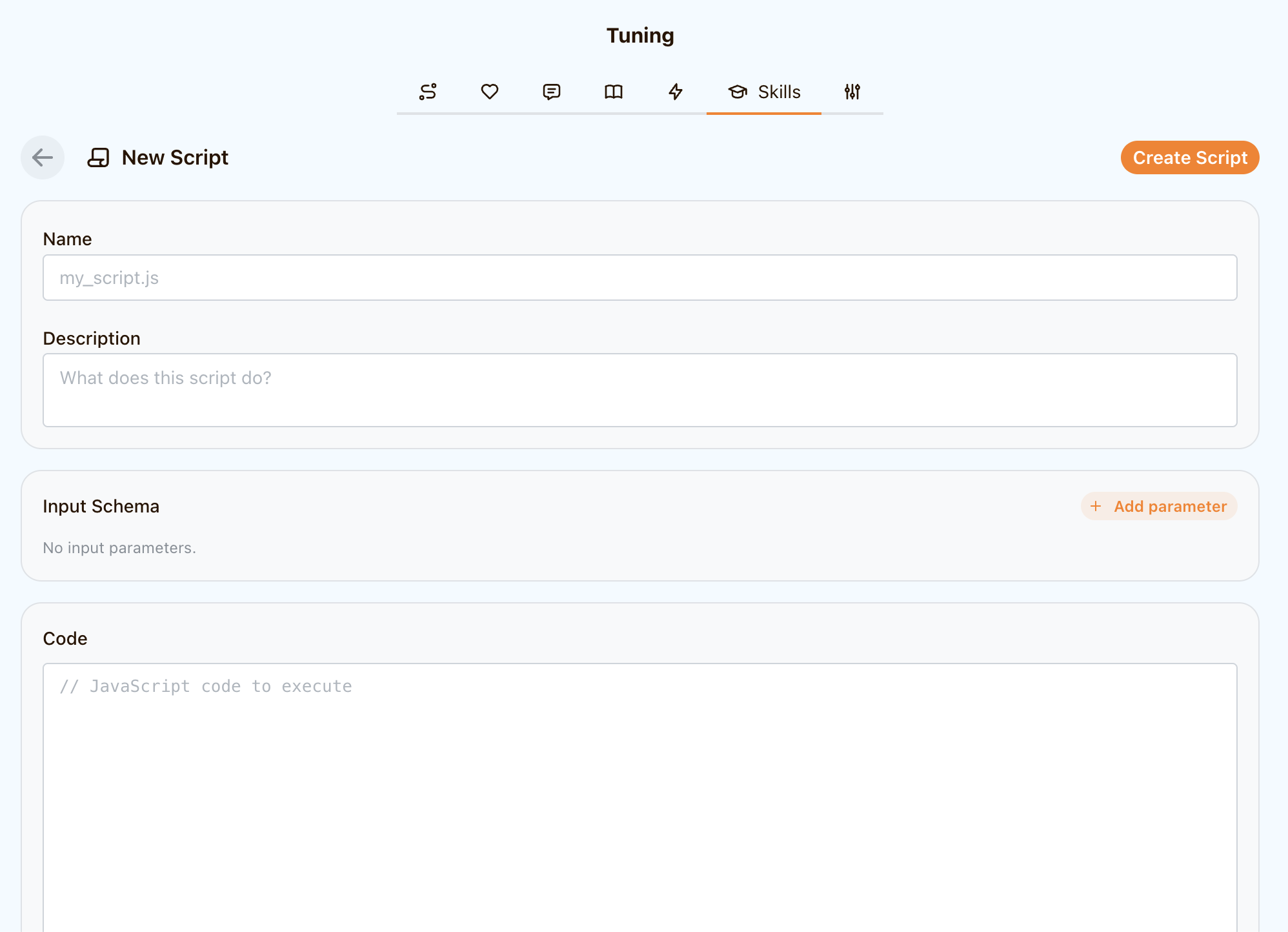
Skills and Scripts. Skills now function as proper AI tools with a dedicated management interface. Each skill can have executable scripts attached - configurable code units with typed input parameters and access to connected services.
Knowledge base improvements. The knowledge items list is now searchable, and individual articles can be excluded from AI search results without deleting them.
Custom object management. Custom entity types can now be created and edited directly from Settings, including adding custom fields to each type.
Saved views. Save your current filter configuration as a named view for the company list and dashboard, then switch between views with one click.
Guidance Plans and Bulk Actions#
Bulk company actions. Select multiple companies and assign them to a project or enroll them in a guidance in one action.
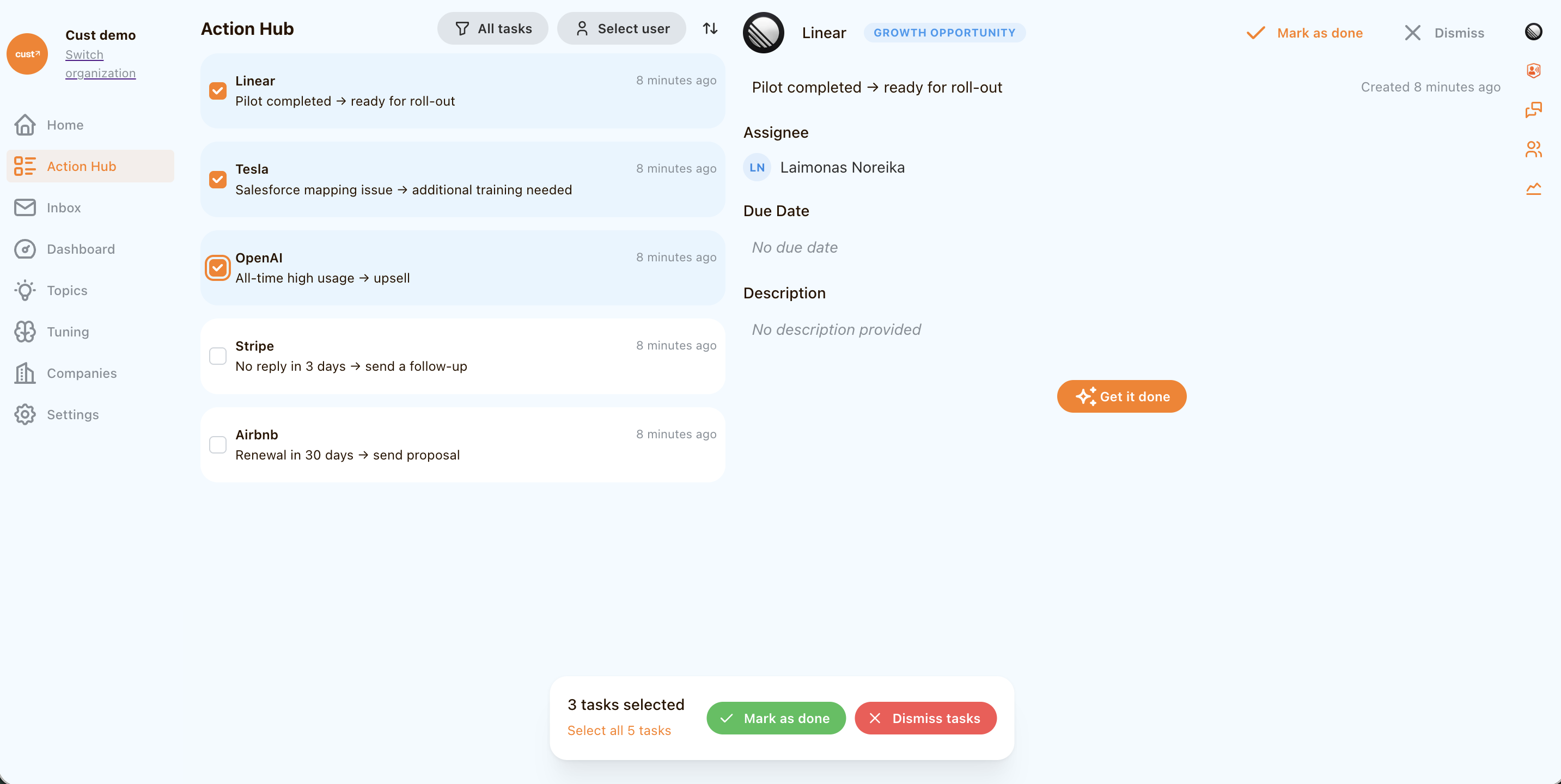
Bulk task actions. Multiple tasks in the Action Hub can be completed or dismissed at once. Tasks can also have assignees and due dates set directly inline upon creation.
Bulk contact actions. Contacts within a company support multi-select to trigger workflows on all selected contacts at once.
Team Management and Permissions#
Admin role. A new Admin membership role sits between Member and Owner, with access to manage integrations, custom fields, and team settings.
User profile links. Team members can add labeled links to their profile, such as scheduling URLs. The AI assistant uses these links when drafting emails.
Stakeholder Relationships#
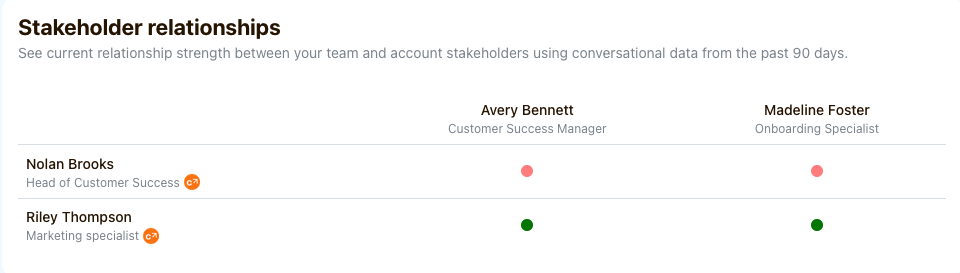
A new relationships widget visualizes the strength of connections between contacts at customer organizations and your team, calculated from interactions like meetings, calls, emails, and their response times.
Additionally, Cust automatically enriches contact job titles by extracting role information from email signatures, keeping your contact data accurate without manual effort.
New Integrations: Modjo, Fireflies, Close CRM, and HubSpot Improvements#
New Modjo and Fireflies.ai integrations to sync meeting transcripts.
Close CRM integration to sync companies, contacts and custom activities.
HubSpot sync has been redesigned to reliably handle companies with large contact lists, eliminating delays and sync failures that previously affected high-volume accounts.
Topics Redesign#
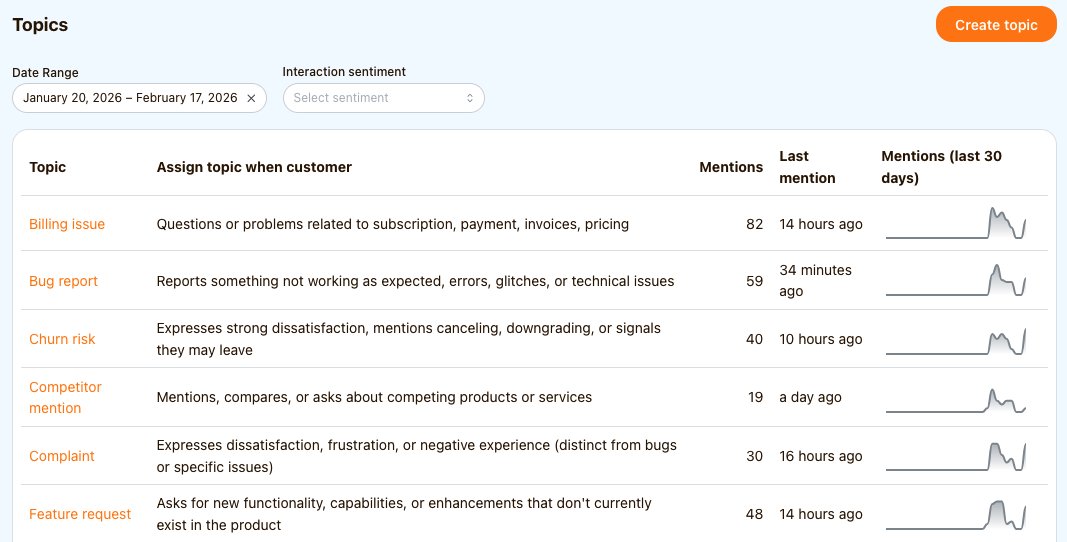
Topics have been completely redesigned, with the ability to create custom topics tailored to your business. Topic mentions can also now be used as workflow triggers for more targeted automation.
Configurable Silence Signals#
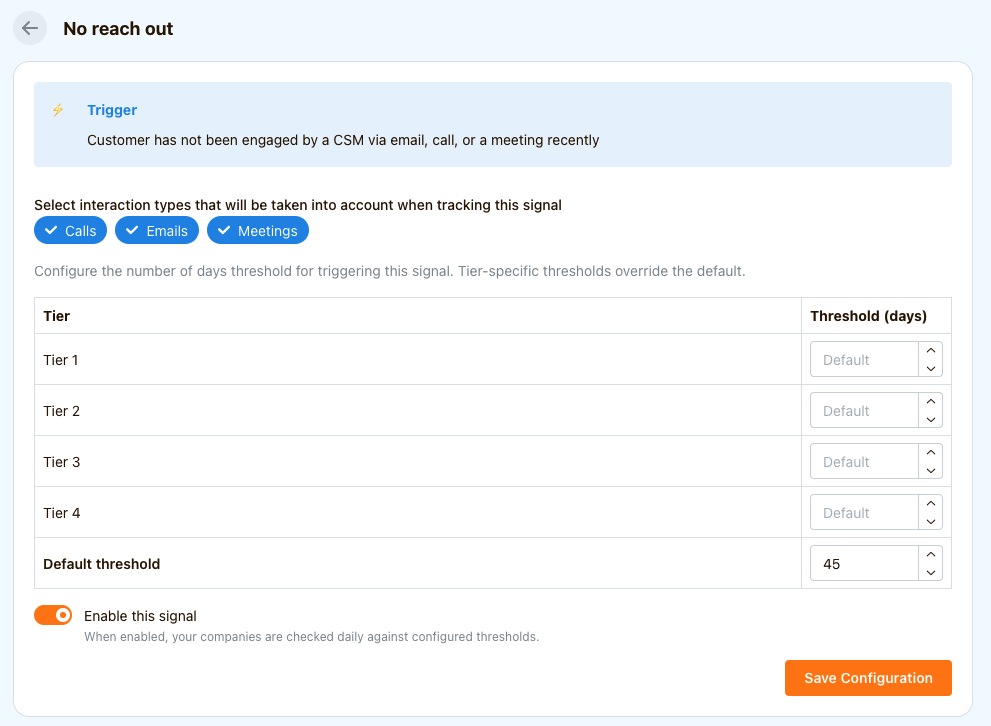
The "No reach out" and "Company went silent" signals can now be configured per customer segment, with customizable day thresholds and interaction types factored into the calculation.
Email Updates: Forwarding, Focus Mode, and Inbox Conversations#
Email forwarding. Users can now create dedicated forwarding email addresses to log emails in Cust even when none of the email parties have connected accounts.
Automatic BCC. Email accounts can now be configured to include specified addresses in BCC for all outgoing emails sent from Cust.
Inbox Focus Mode. A new Focus Mode for the inbox filters out noise by showing only emails related to your customers.
Initiating conversations from Inbox. Users can now initiate new email threads directly from the inbox.
Health Settings#
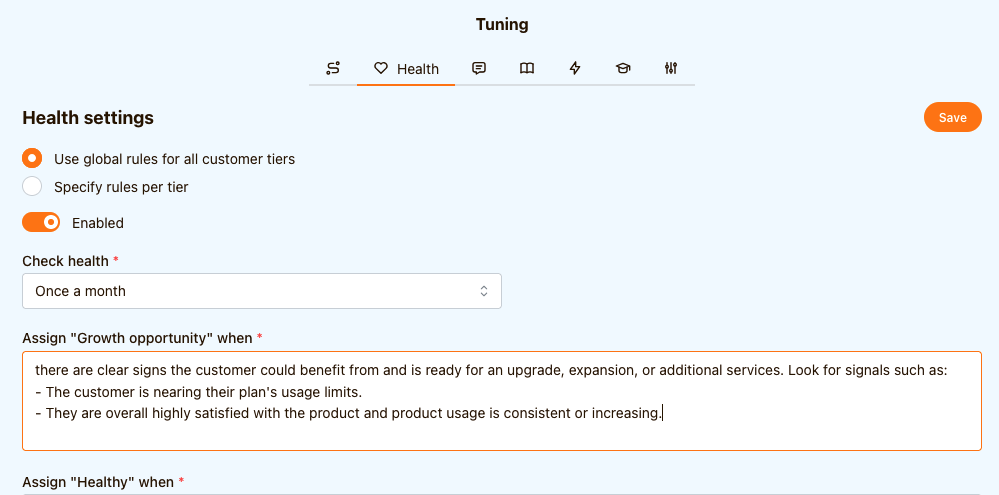
Health configuration has been moved to its own dedicated page, separating it from guidance settings. Health instructions can now also be defined per customer segment for more granular control.
AI Assistant gets access to web search#
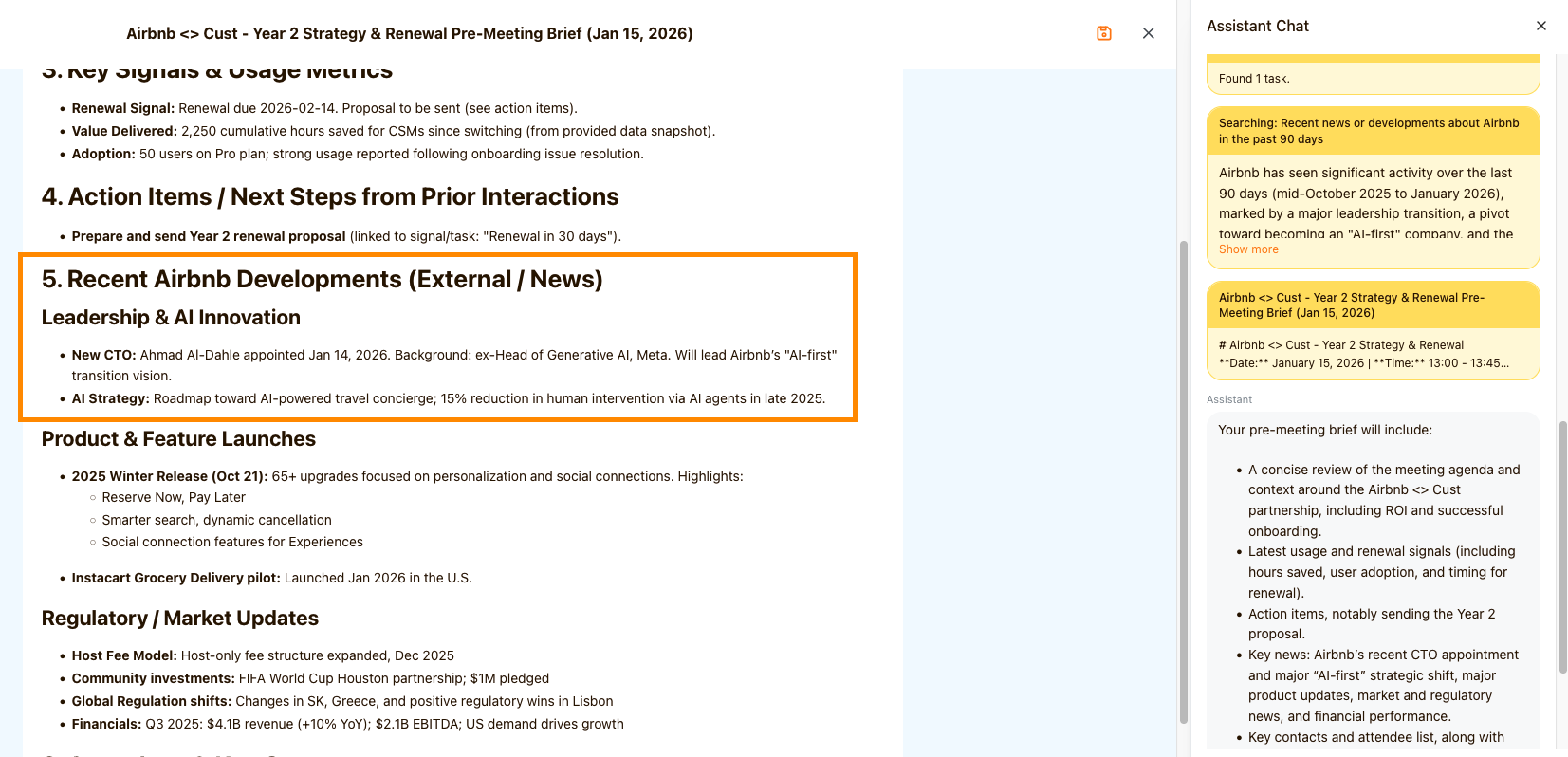
The assistant chat now supports a web search tool for real-time customer research. This provides immediate context on recent company news and external data.
You can use it throughout the platform, for example:
- request data on-demand via “Ask Cust”
- turn repeatable web searches into Skills
- automate with Workflows & Guidances.
Or use built-in actions like “Prepare for a meeting” on the homepage. It passes the following prompt:
Create a pre-meeting brief for my meeting today. Search for prior transcripts meetings, usage data and emails to inform the preparation. If there are any pending action items or next steps from prior meetings, make a note of them as bullet points. Also do a web search for recent news about the company and include any recent events that are relevant. Use artifacts tool to write a brief.
Workflow Automation improvements#
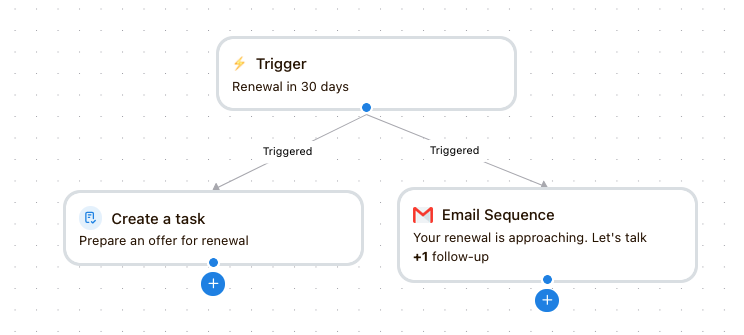
- Workflows now support parallel execution logic to trigger multiple actions simultaneously.
- Added new actions to create tasks, add companies to projects, or filter by company attribute.
- To prevent over-communication, you can now set limits on how often a company is enrolled in a sequence or cap daily emails per account. This ensures your outreach remains professional and avoids triggering spam filters.
- Tasks generated by workflows are automatically deleted if the triggering signal is no longer relevant. This keeps the Action Hub focused on current priorities by removing outdated items.
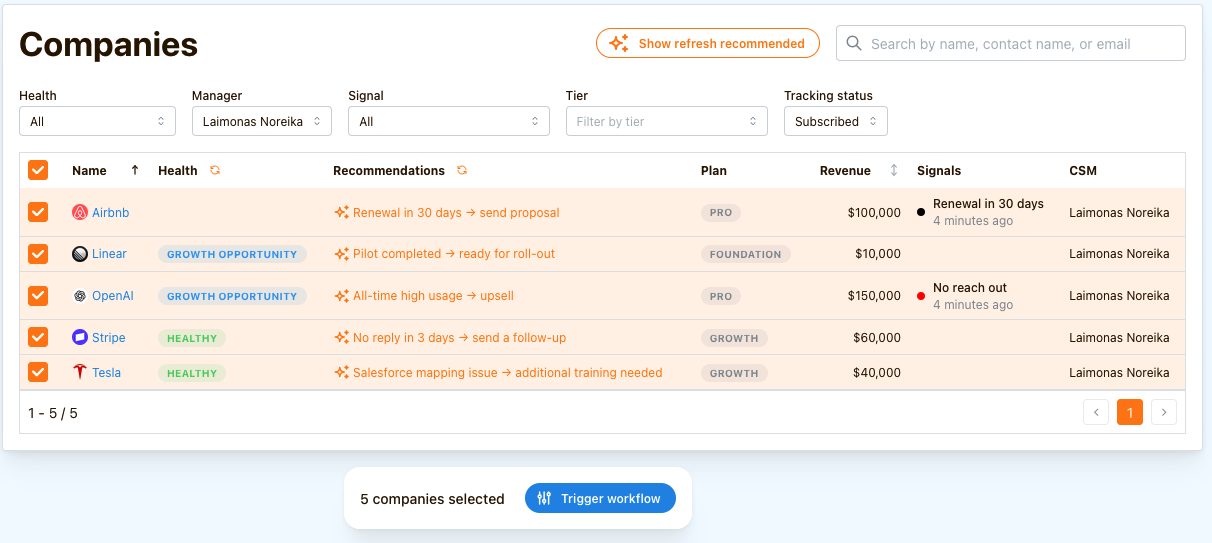
- You can now trigger workflows manually from a company list using bulk action.
Tiered Signals, Knowledge Base Integration, and Advanced Email Controls#
- "No reach out" and "Company went silent" signal thresholds can now be configured based on customer tiers.
- Zendesk knowledge base integration allows the assistant to draft replies using your actual documentation.
- Meetings sync from Outlook Calendar
- Added a global Automatic BCC setting which acts as default BCC for all emails sent from Cust. This is useful for email forwarding to 3rd party systems for logging.
- Added an "Ignored email domains" setting which sets boundaries on which emails are completely ignored during sync.
- Due project objectives can now automatically generate tasks for CSMs.
Redesigned Home Screen#
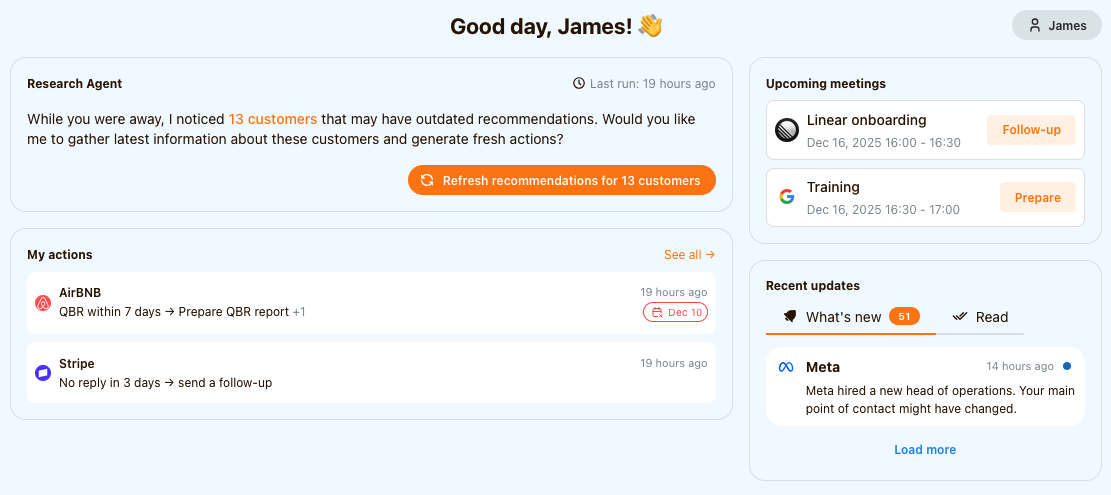
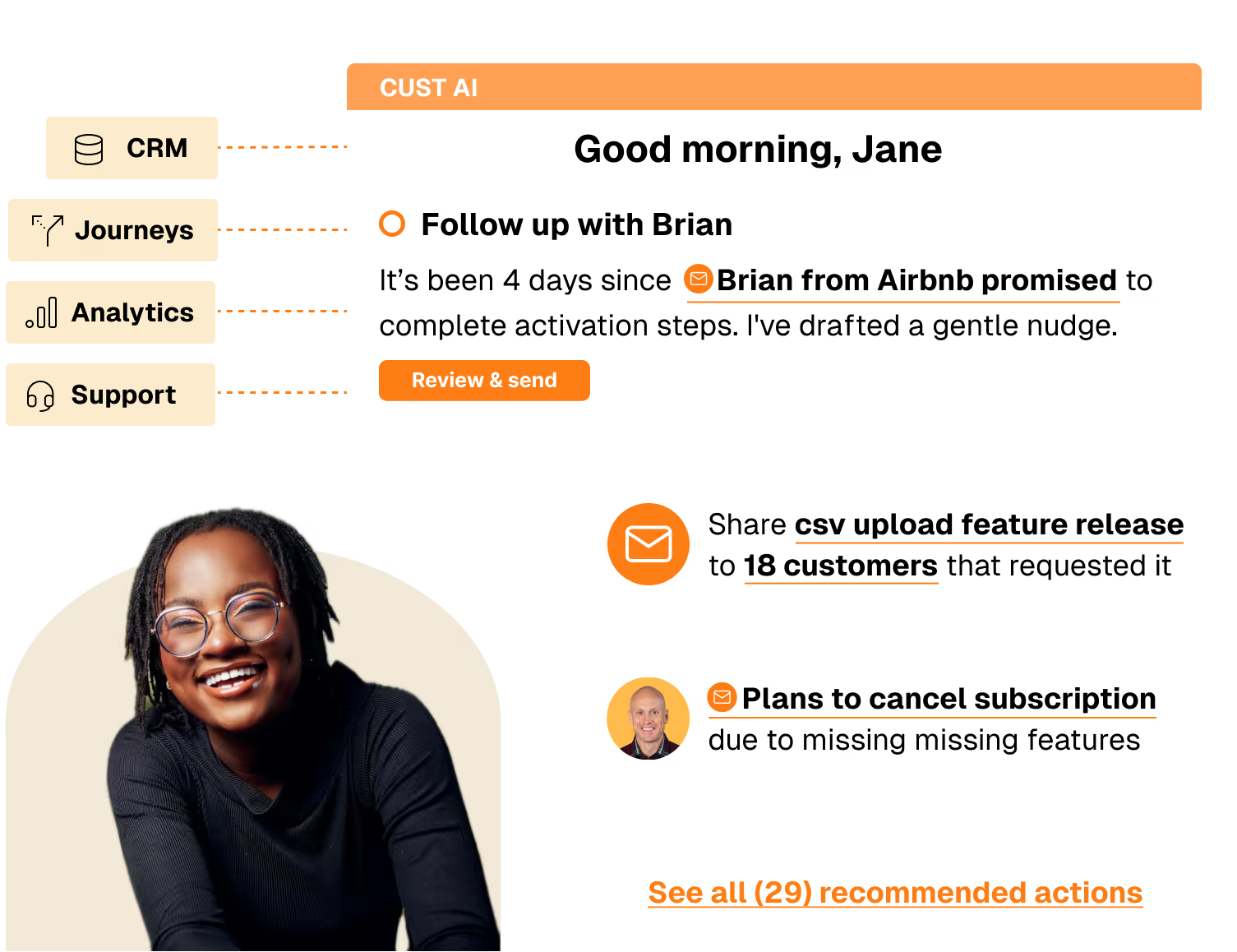
The new home screen provides a unified command center displaying upcoming meetings, recent updates, and prioritized actions, helping CSMs stay organized and proactive with their customer portfolio:
- one-click meeting follow-up/prep
- one-click to refresh portfolio recommendations
- priority actions
- portfolio newsfeed
Email Inbox Integration#
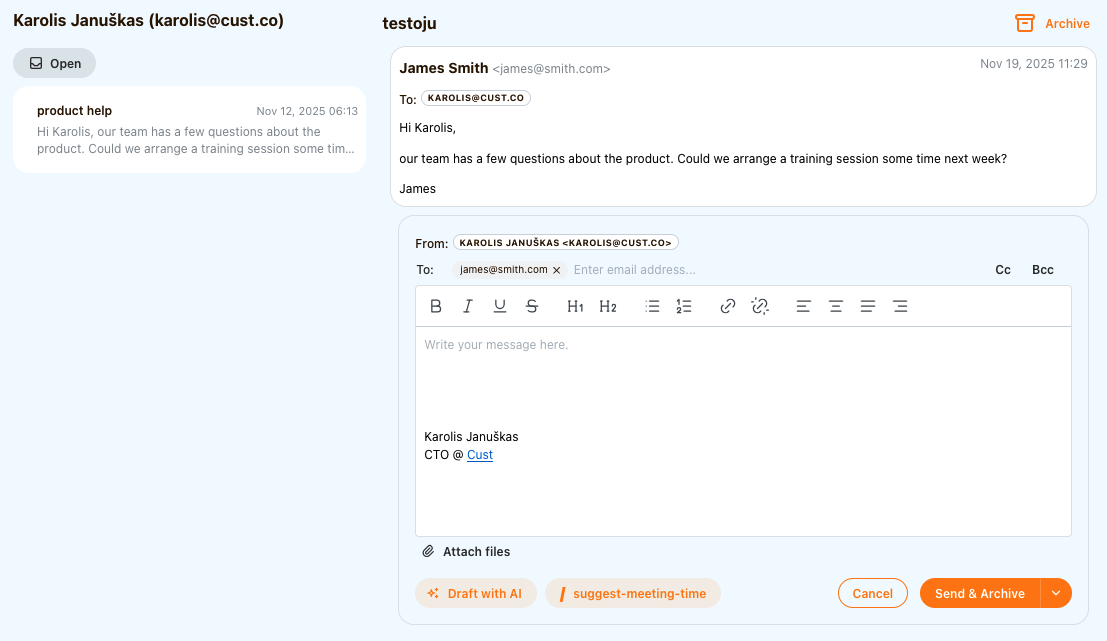
CSMs can now manage their email communications directly within Cust, streamlining customer interactions in a single platform.
Web Research Capabilities#
The assistant can now browse the internet to gather current information from customer websites and other specified sources, enabling more informed and contextual customer interactions.
Document Generation with Assistant#
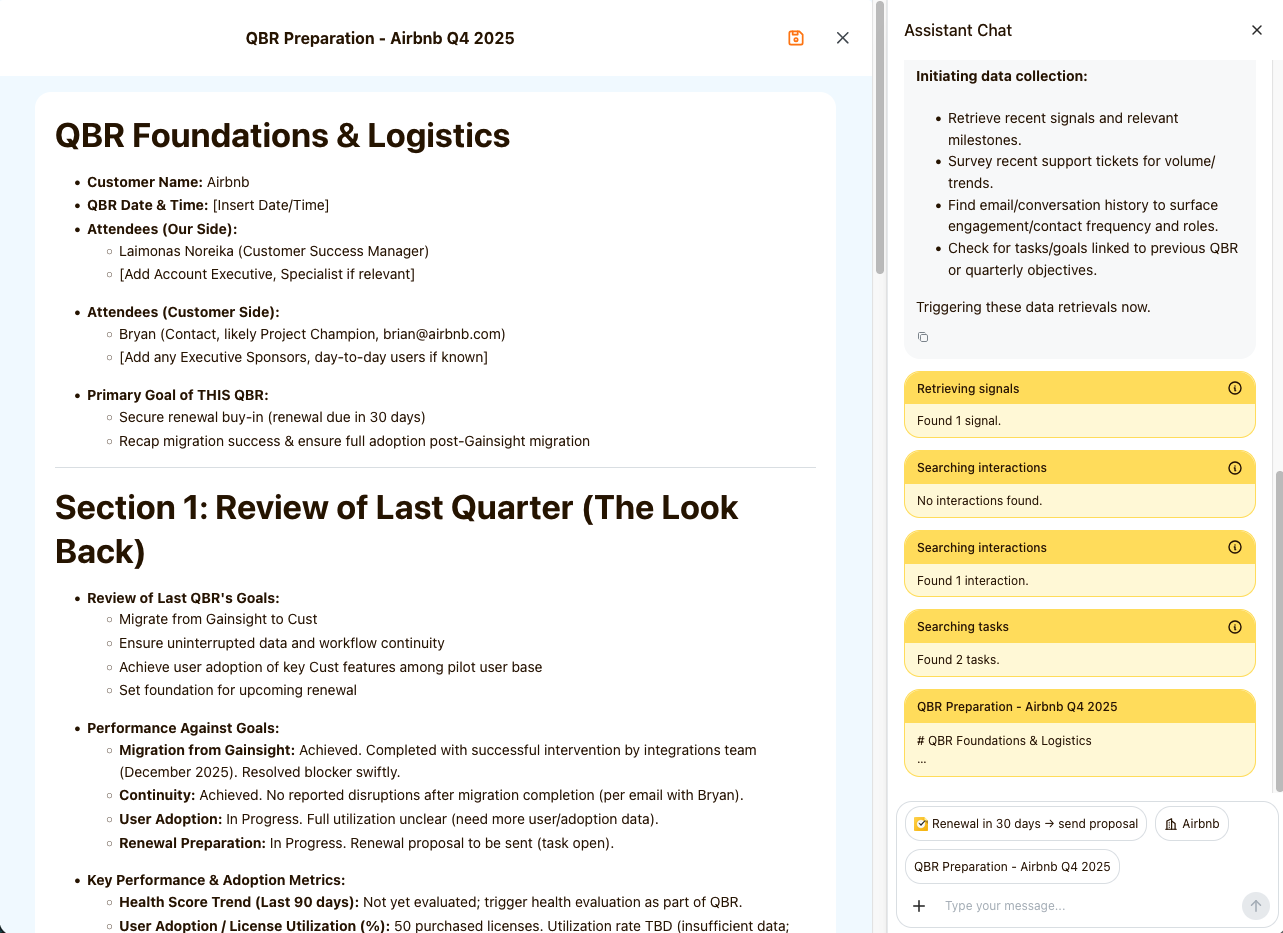
The assistant can now create editable long-form documents, which can be refined and saved directly to customer profiles. Ideal for QBRs, renewals or handover notes.
Contact-Level Signals#
Signals now support contact-level triggers in addition to company-level ones, enabling more granular automation like responding to individual NPS submissions.
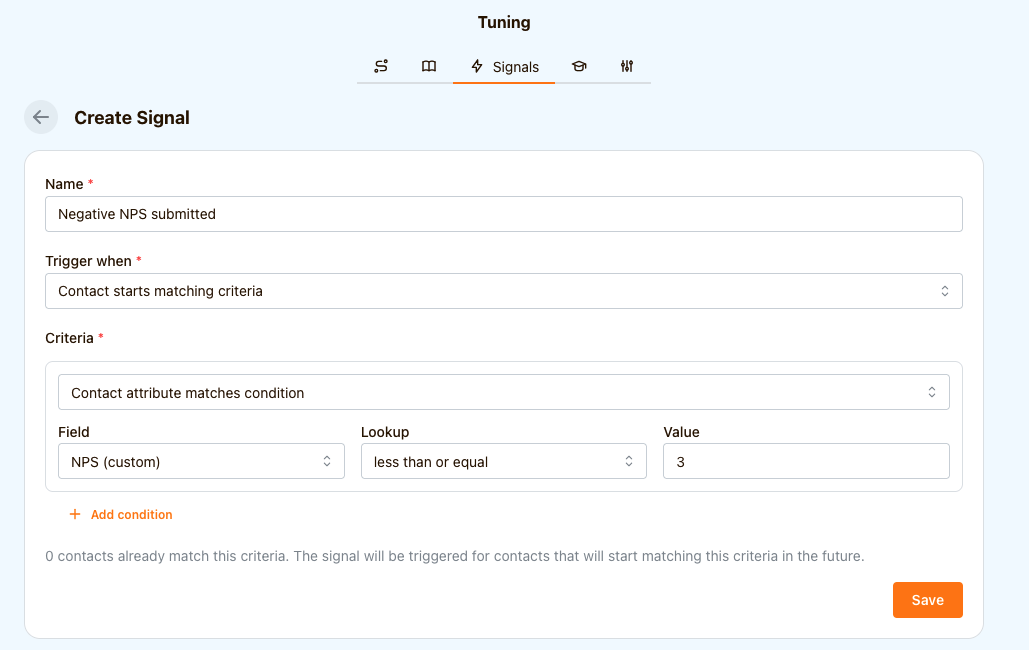
Advanced Workflow Automation#
Build sophisticated signal-based automations with our new workflow editor, featuring multiple step types including delays, intelligent filtering, automated emails, and task creation.
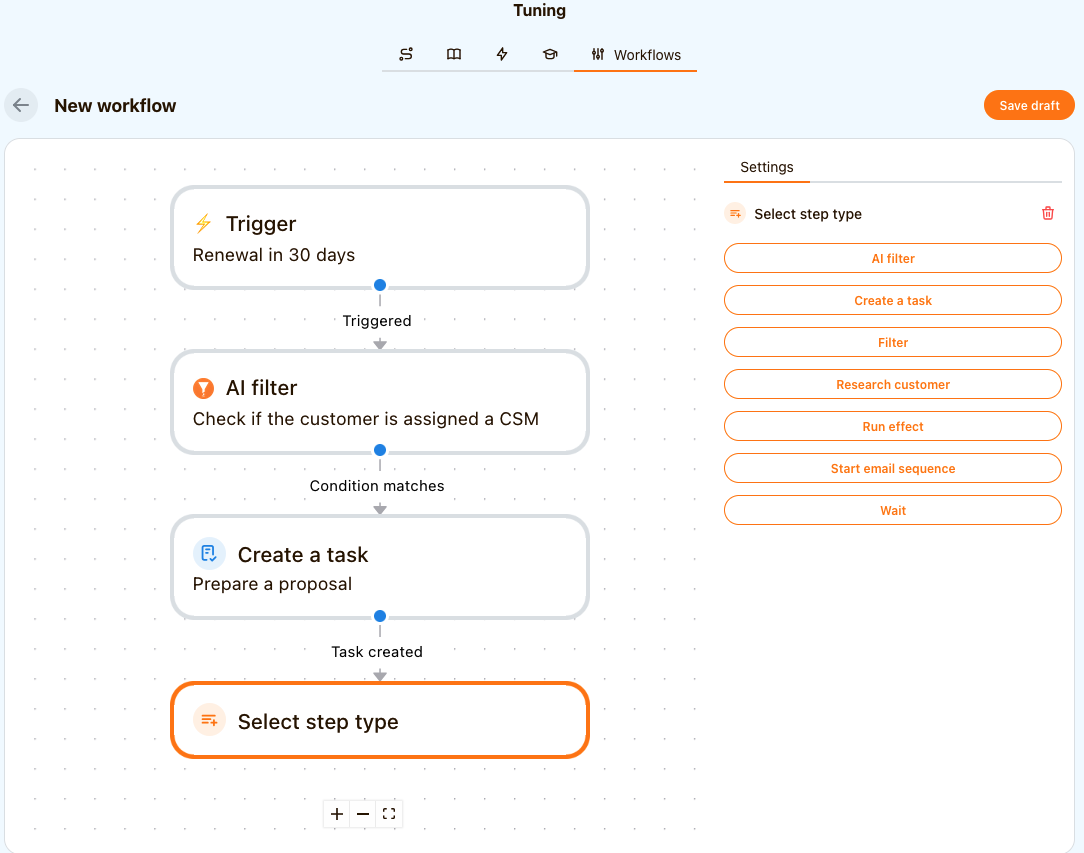
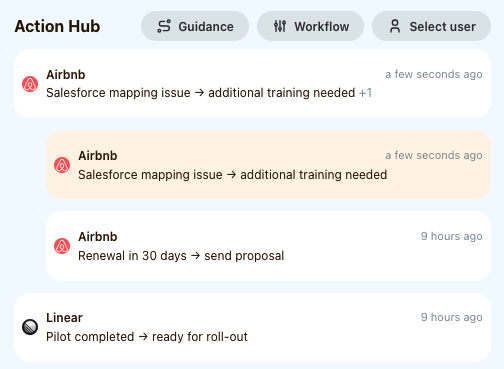
Grouped Task Management#
Tasks are now intelligently grouped by company rather than chronologically ordered, making it easier to see all related actions for each customer at a glance.
Misc#
- Received email attachments can now be downloaded and viewed from Cust.
- Cust chat assistant now handles network failures gracefully, enabling users to retry previously sent messages.
- Custom fields can now be managed from Settings.
- The system now can do daily snapshots of chosen numeric company/contact fields, to collect historical trends over time and display them as metrics.
- It is now possible to store multiple notes on a customer.
Switching from recurring to on-demand recommendations#
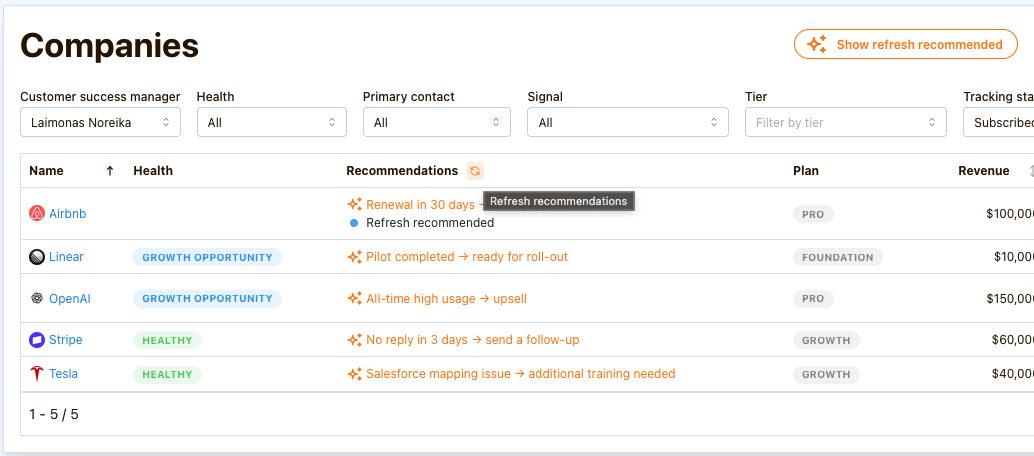
The system used to run guidances either on a recurring schedule, or on a signal. In either way, generated recommendations might get outdated so quickly that it is very hard for a CSM to understand if a recommendation is still relevant.
This is why we are transitioning to on-demand recommendation generations. When a CSM starts his day, we recommend opening his portfolio in Companies tab and hitting "Refresh" for any company that we suggest to refresh recommendations for. This way a CSM can be sure that the recommendations are fresh.
Projects#
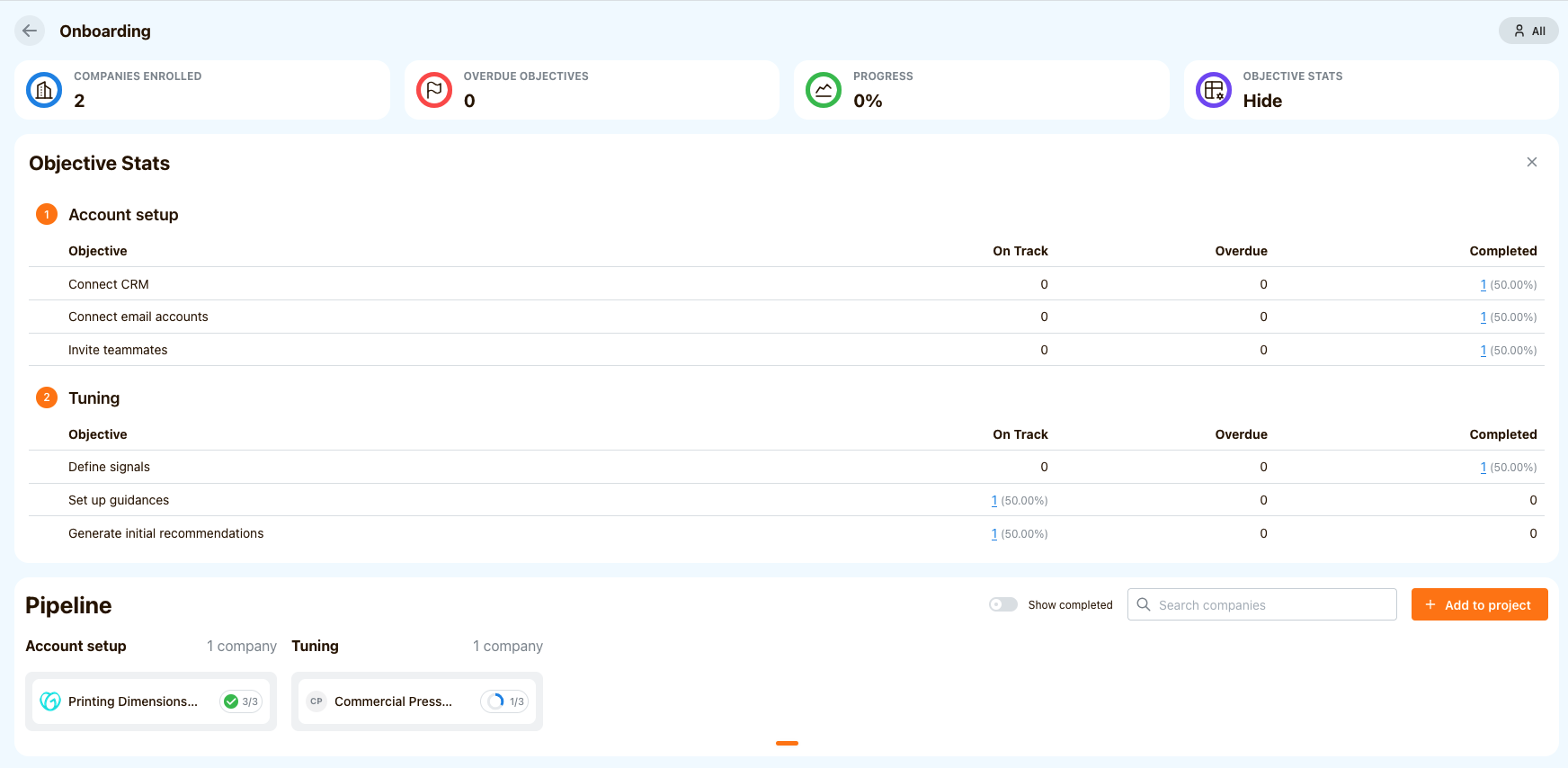
Projects allow you to define a set of activities that either your team or a customer has to do to reach a certain milestone. Then, you can track status in a Kanban board-like interface.
The system automatically calculates various metrics and highlights outliers so that you can easily spot customers that are stuck in the process.
Integration updates#
- Hubspot integration now supports Company sync from custom objects.
- JIRA integration is now live, syncing product issues to related customer profiles
- Salesforce integration was improved to support sandbox environment. Also integration configuration UI was refreshed to make field mapping process much easier.

Quick search#
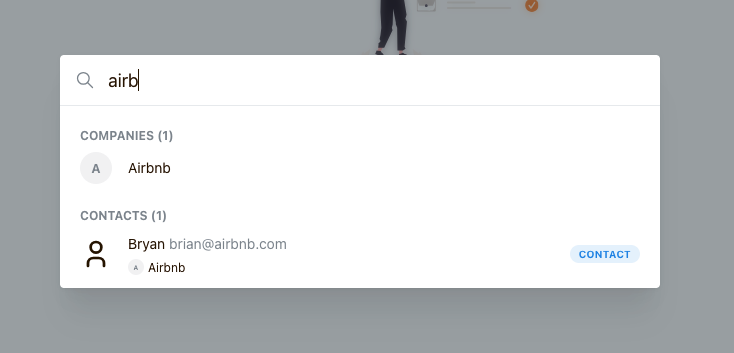
We do now support a quick universal search, accessible from anywhere in the system.
Find it in top nav or hit ⌘K to search for companies or contacts.
Smart tasks#
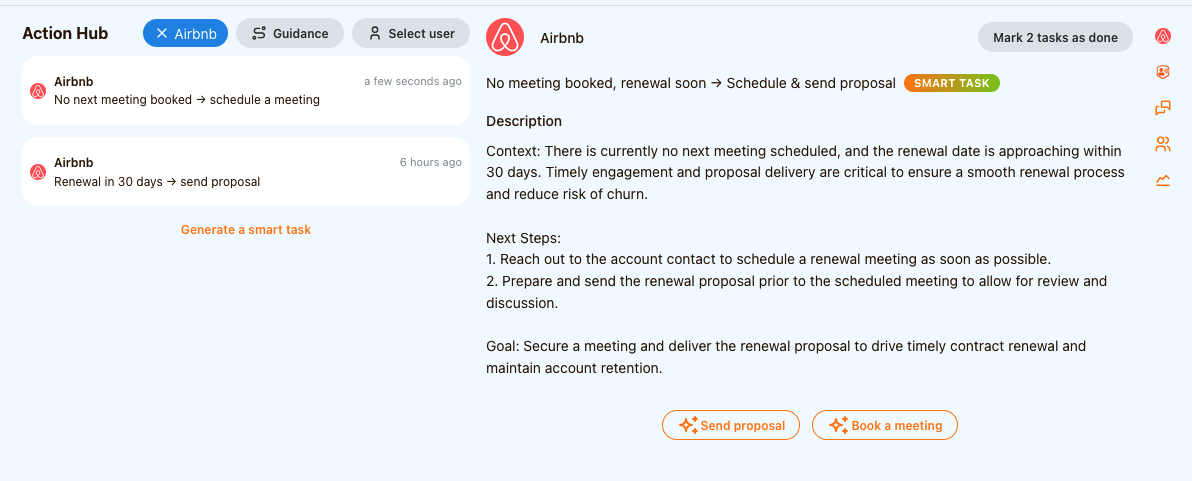
Now, you can easily manage customers with multiple pending tasks. With a single click, group them into a single Smart Task that automatically:
- Generates a consolidated description.
- Suggests relevant actions from your Guidances.
The option to create a Smart Task will appear in the Action Hub and on Company Profiles whenever a customer has more than one pending task.
Signal setup#
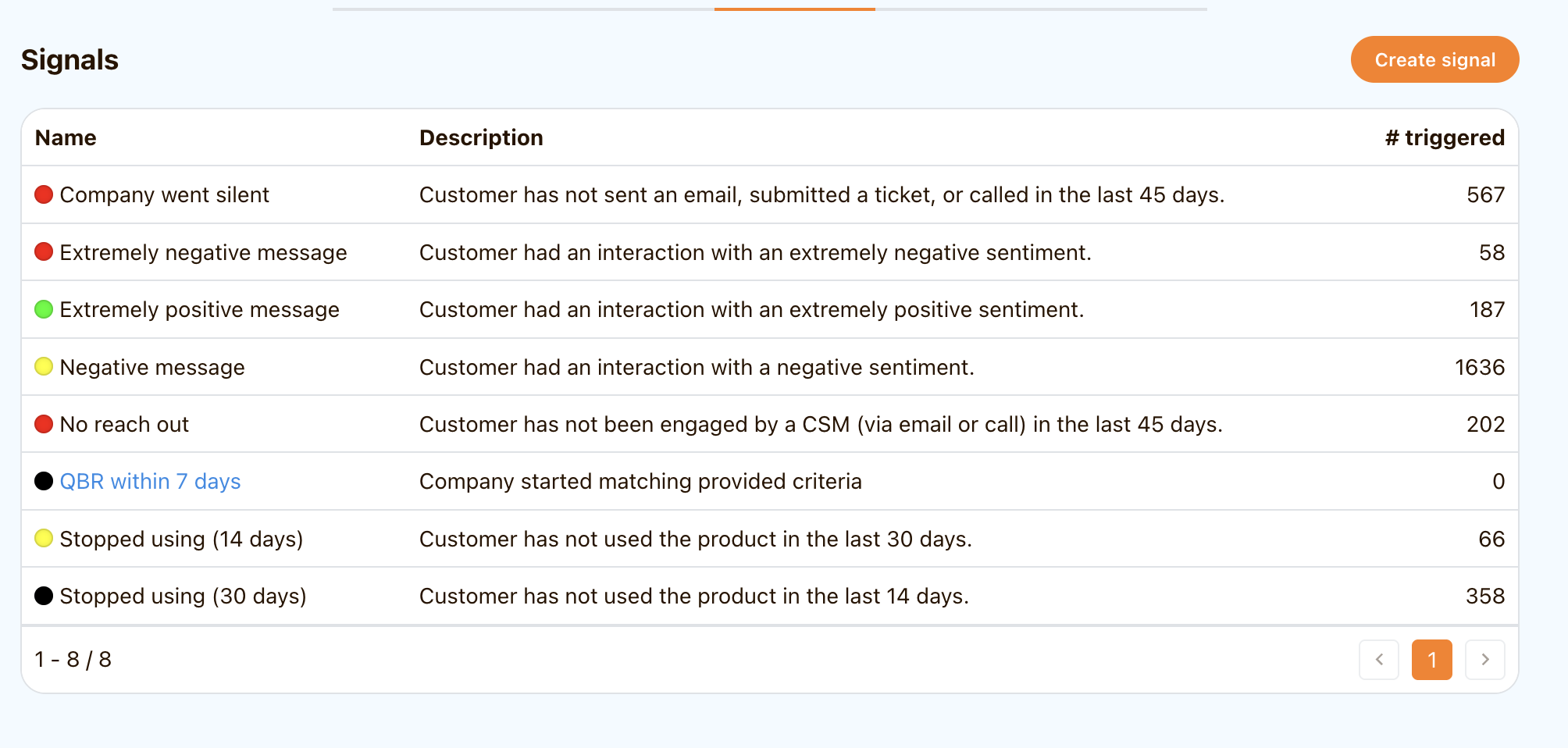
From now you can create Signals and reference them in Guidance documents when you want to be notified to refresh recommendations when something happens.
For example, you can create a Signal, that looks for upcoming calendar events with “QBR, business review” keywords within X number of days. Next, you can reference that Signal in Guidance document (for example: QBR preparation). After this is done, when the signal is triggered, you will see a "Refresh recommended" message on the customer suggesting you to refresh recommendations.
The platform supports these types of signals:
- Customer has an upcoming meeting in X days
- Customer starts matching the specified criteria
- Customer stops matching the specified criteria
Batch of smaller updates#
- Skills can be mentioned in guidance actions to simplify guidance creation
- We long had an email uniqueness constraint so that a company can't have multiple contacts with the same email address. However, this proved to cause more problems than benefits as it caused many syncs to break due to data inconsistencies in customer systems. This constraint is now lifted.
- CSM filter in action hub and company list now shows only CSMs who signed up on Cust.
- CSMs can now manage their profiles in settings to provide their calendar scheduling links that Cust chat assistant is aware of.
- Customer context access tools were completely redesigned to enable chat assistant to access more customer context on demand, rather than having too much at hand for every conversation.
- Email threads can now be linked to tasks, meaning that recommendations can be created to follow up on a thread, rather than initiating a new conversation.
- Introducing a "Communication style" guidance for providing organization preferences for email writing style (tone of voice, structure etc.)
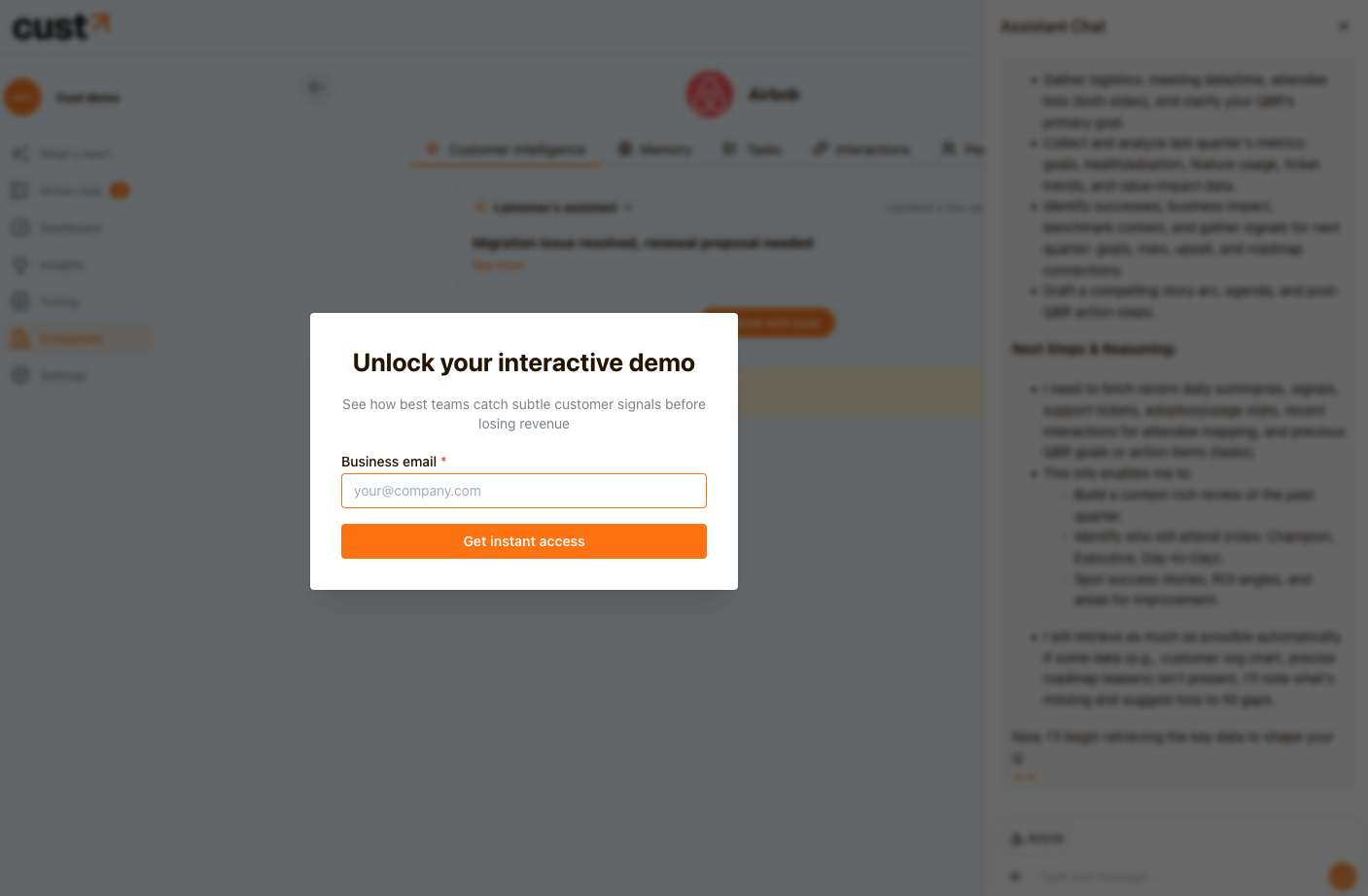
New interactive demo environment#
Our interactive demo got a facelift - try it yourself: http://app.cust.co/demo/try-prompt?prompt=/qbr
User activity analytics#
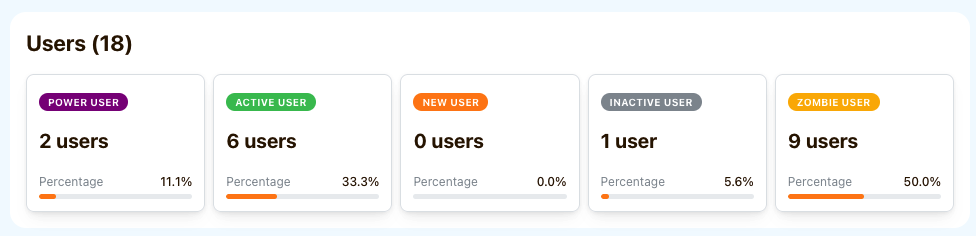
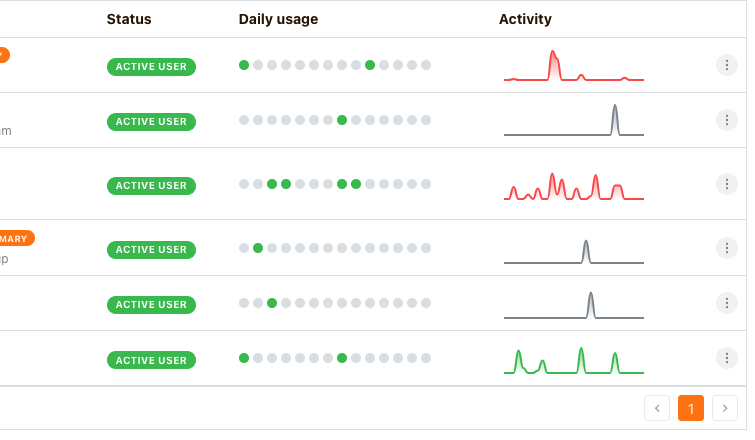
Product usage data is analyzed to provide insights about individual user's activity. Moreover, users are segmented into 5 categories based on their engagement with your product.
Notes about customers#
CSMs can now leave notes on their customers and write important information they, their colleagues and the assistant as part of the customer context.
Customer health evaluation#
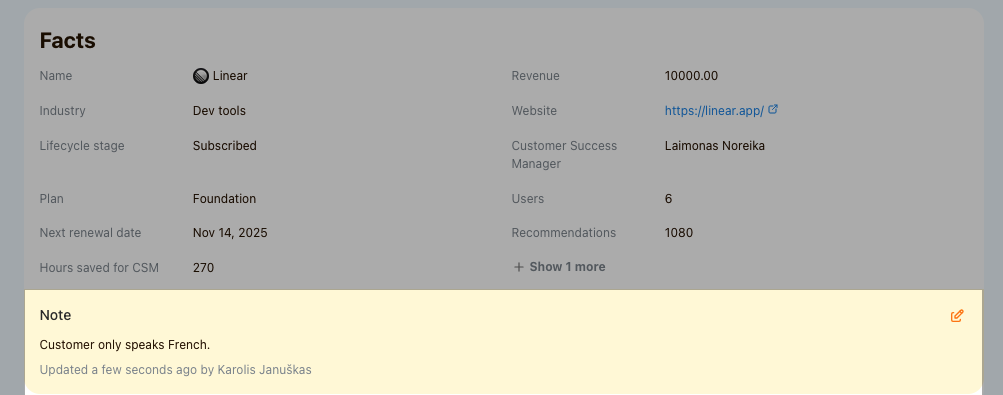
Cust now analyzes customer profiles and sets a health score based on text-based instructions. We have set sensible defaults, but users can easily provide their own.
New action hub#
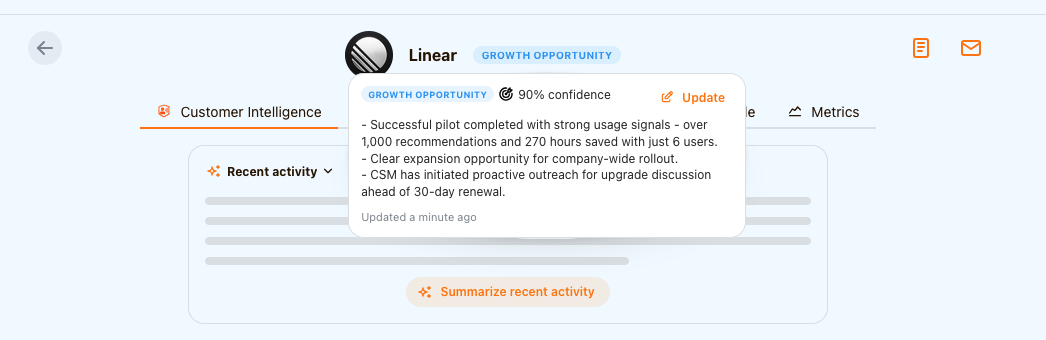
We are introducing a new action hub as a place for CSMs to work on recommendations and tasks
Company and user metrics#
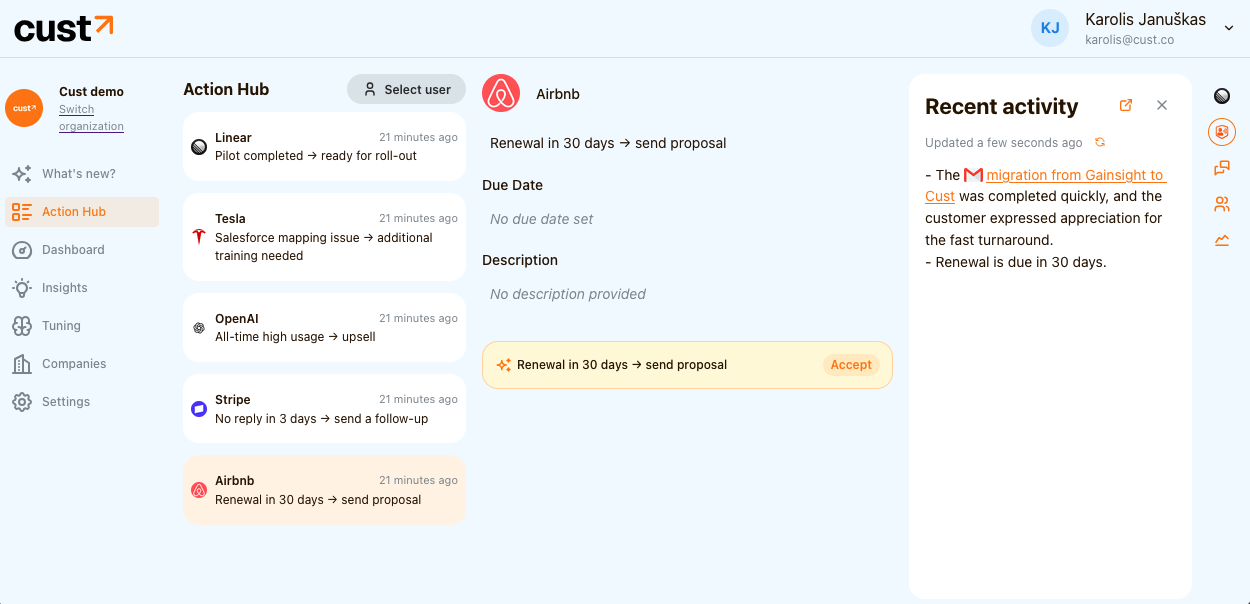
We can now sync company and individual user metrics into Cust and display them on respective profiles. This data is also accessible to chat assistant so that it can recommend certain actions based on numeric data.
Activity digests#
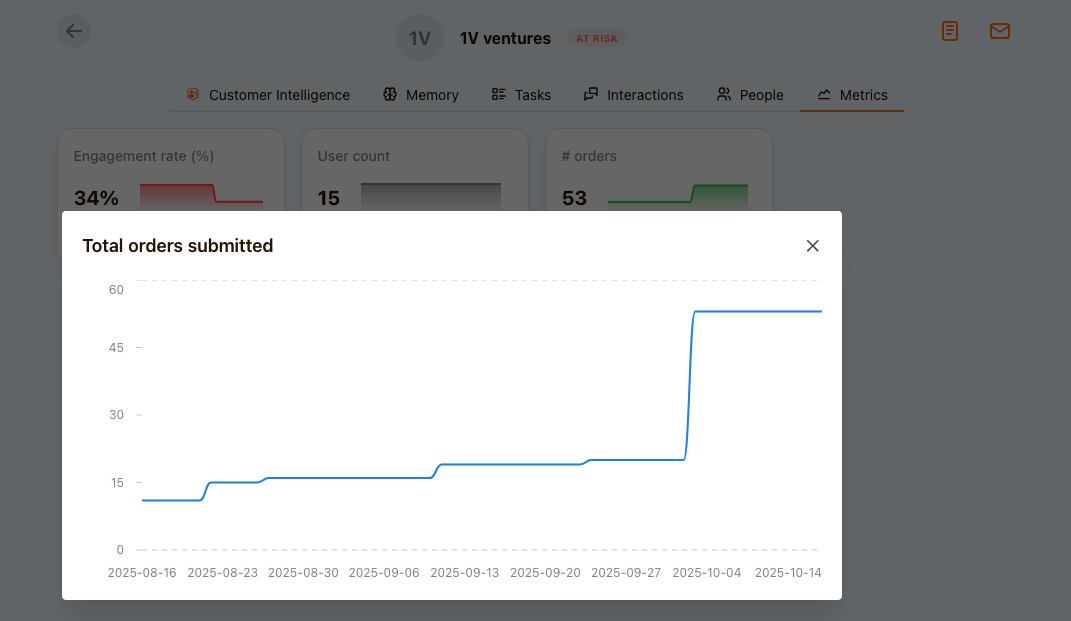
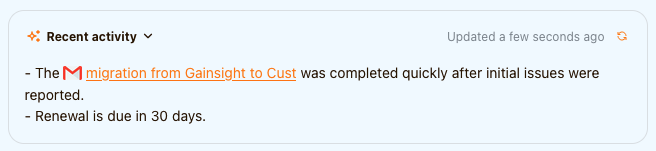
Users can generate a summary of recent customer activity on demand if they need to know what happened with the customer recently.
Gong integration#
Cust now seamlessly integrates with Gong to sync call transcripts for every meeting in your calendar.

Batch of improvements#
- Company fields can now be edited from UI
- Workflows can now be retried or stopped
- Tasks can now be deleted
- We improved Zoho integration with task sync so that Cust Intelligence can help you on executing them
Snowflake integration#
We built a Snowflake API connector to ingest customer data into Cust.

Company page improvements#
Company list has been updated to better show what happened and what needs to be done for a specific customer at a glance:
- You can see the most recent recommendation/task, and act on it from the company list.
- The latest signal from the customer is displayed. If you click on it, the full signal timeline is displayed.

Calendar sync#
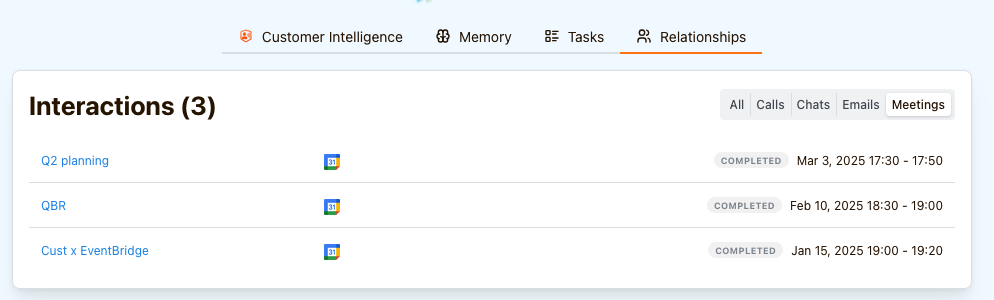
We added an option to connect your Google Calendar to sync meetings into Cust. Related meetings are displayed on customer profiles and can be used for signals and guidance recommendations. To sync your calendar, go to Settings and choose Calendar sync.
The option to connect Outlook Calendar will be available in the upcoming weeks.
Skills#
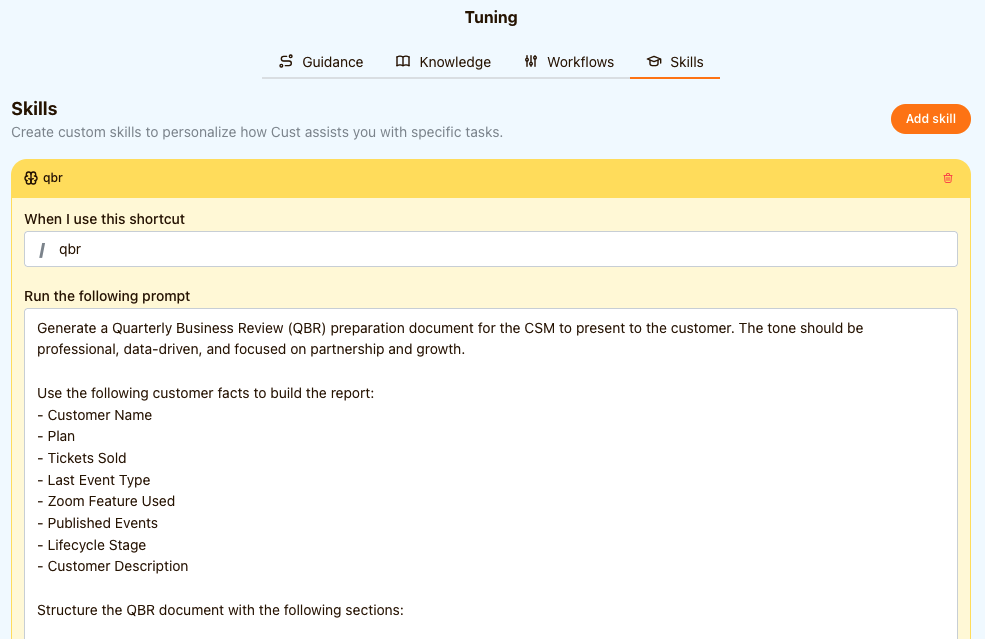
Skills are like reusable prompt templates your team can use without writing long queries. Simply type a forward slash ("/") in the message box and choose your own or a built-in skill. You can define as many skills as you want for your organization.
Guidance#
Guidance is a document that outlines how CSM team is working on a daily basis with customers. Cust relies on this document to track signals for each of your customers and provide task recommendations to CSMs.
Context augmentation#
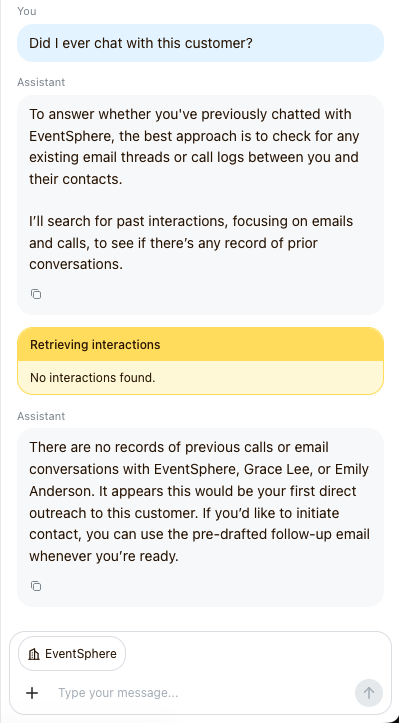
Context augmentation. Assistant is now able to retrieve additional context about the customer on demand. This is especially useful if you want to ask a question about customer history, or generate a report based on customer activity in the last quarter.
Zendesk integration#
We built a Zendesk integration to sync companies and tickets to Cust.
Initiate new email threads with a company#
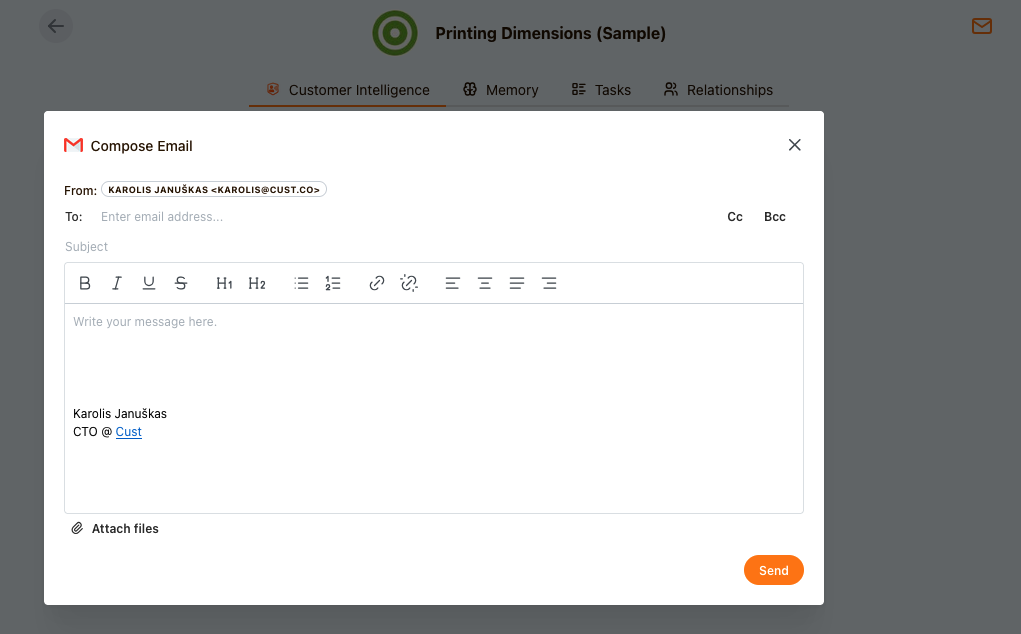
User can now initiate new email threads with a customer from customer page. They can use Cust assistant to draft emails based on customer context.
Deterministic workflows#
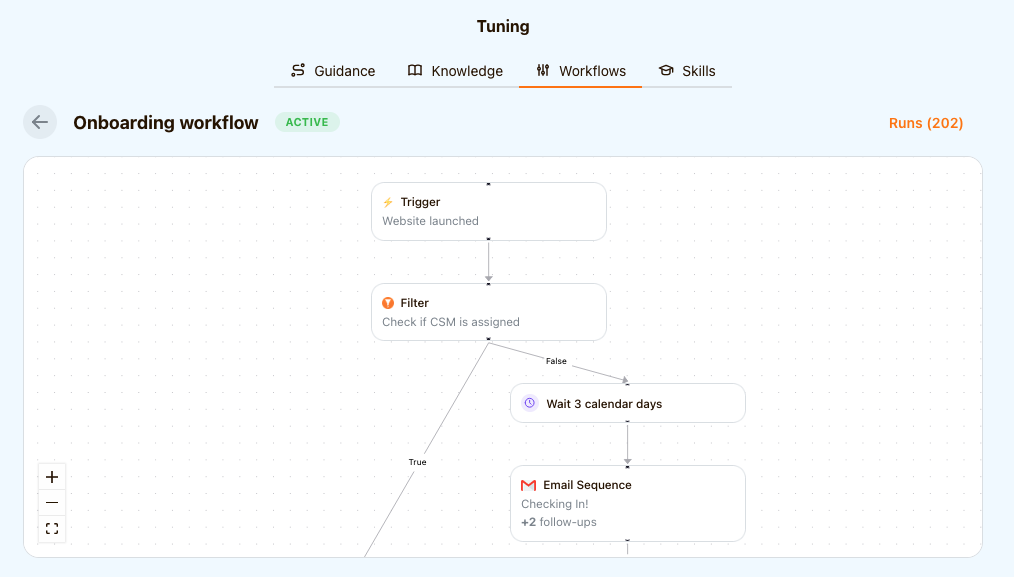
We are introducing deterministic trigger based workflows for those who need precise control over execution. One can build a workflow with actions like: send email sequence, create a task, execute an action on external system, and more.
Customer Intelligence#
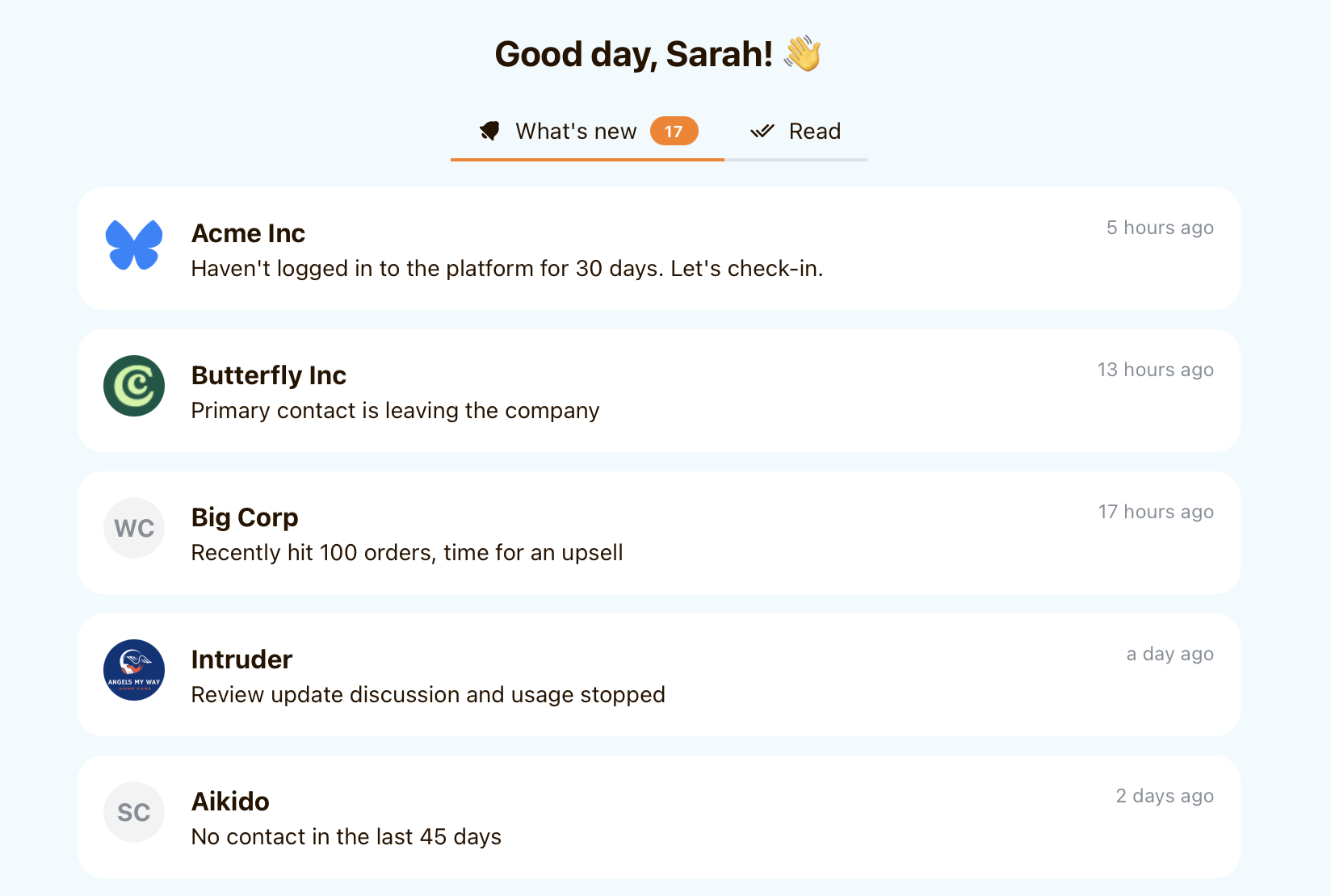
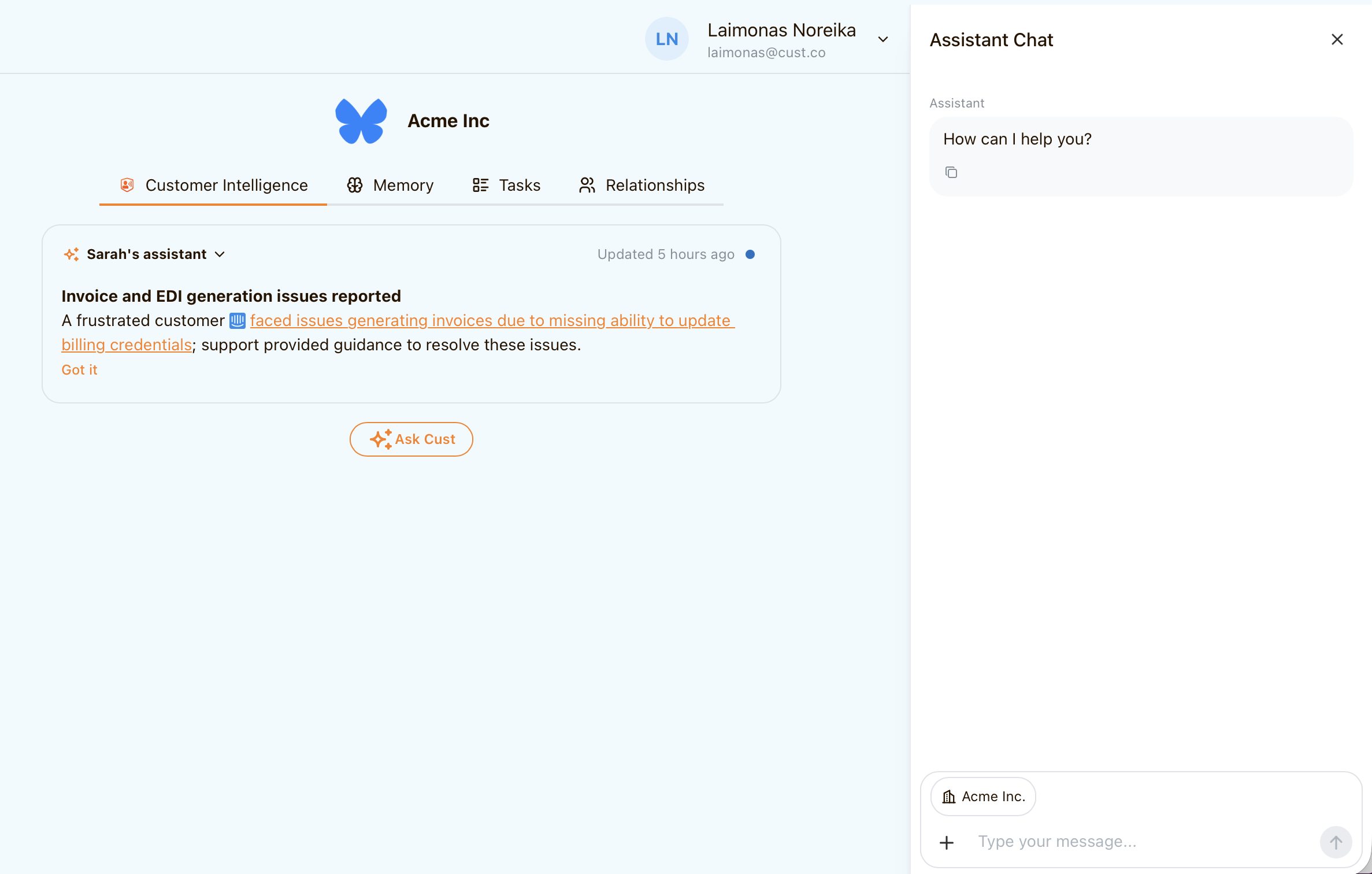
Company and assistant pages were rebuilt from ground up to put more focus on insights rather than attributes and raw data. Assistant screen now summarises what important events have happened so that CSMs are always up to date on their portfolio.
Ask Cust #
Introducing "Ask Cust" – a chat assistant that is aware of your customers and their data and can help you with any request. If you want to research your customer, prepare for a QBR, or draft a reply, just ask.
Emailing improvements#
Cust now allows to reply to email threads that were not initiated via Cust. We also improved the email composer and started supporting email attachments.
A bundle of upgrades#
- Added an option to set up organization specific email sending hours (default – 08:00-18:00 daily).
- When an email account gets disconnected, a notification email is now sent to the person who owns the email account instead of organization owner.
- Zoho integration now supports CRM data sync from custom entities.
- Added an option to set up delays of customer journey triggers in calendar days as opposed to business days only.
- Support of CSM-specific meeting scheduling URLs that are used by agents when communicating with customers.
- Booked meeting events are now captured from calendar event confirmation emails. Before we assumed that a customer booked a meeting if the link was clicked.
Inbounds#
Now it's possible to automatically create contact and start building up customer profile from an inbound email. Cust can even extract contact details coming from any sender - ideal to create contacts from form subsimissions, meeting scheduling confirmations, etc.
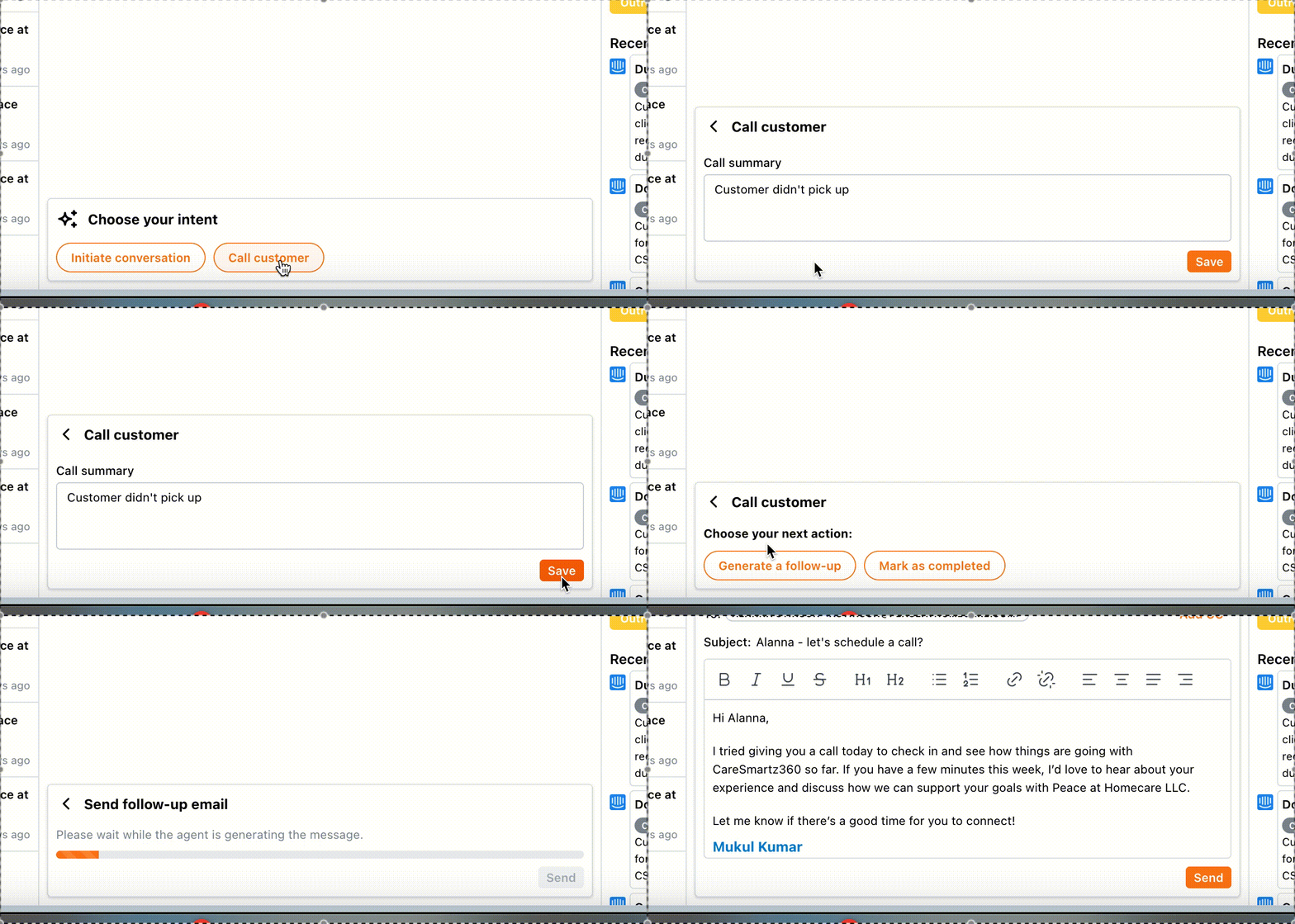
Smart call follow-ups#
Don't let post-call momentum fade! We've made it incredibly easy to send targeted follow-up emails based on the outcome of your customer calls.
- Simplified Workflow: Quickly send the perfect follow-up, whether it's recapping action items, sharing resources, or scheduling the next step.
- Outcome-Driven: Tailor your communication based on what happened during the call.
- See it in Action:
Advanced manager roles for account ownership#
Ever wished you could assign different owners to an account based on their lifecycle stage or specific responsibilities? Now you can!
- The Challenge: Previously, you could only assign a single Customer Success Manager as the main owner. But we know real-world account management is more nuanced.
- The Solution: Assign multiple managers (like Onboarding Manager, Customer Success Manager, Account Executive, or any custom role you define!) to a single account.
- The Power: Execute specific playbooks directly from the selected role's email account. This means your customers always hear from the right person at the right time, with the right message. Imagine seamless handoffs and perfectly personalized outreach!
More power & customization#
We're constantly listening to your feedback, and many of these enhancements are inspired by real-world use cases from our valued customers!
- Deeper Customer Journey Customization:
- We've expanded our capabilities to set up highly specific customer journeys, such as targeting distinct customer segments (e.g., Wix users) or managing complex internal handovers (like from an Onboarding Manager to a CSM or handling customer company verification processes).
- Tailored Data Views & Insights:
- Enjoy more control over your company list with adaptable columns and default sorting options, configured to your team's preferences.
- Introducing new custom charting options using your unique customer attributes.
- Smarter Automation with Enhanced Custom Fields:
- Custom fields now go beyond text! With support for numeric and other data types, you can build even more powerful trigger conditions (e.g., automate an action if order_count < 10).
- Pinpoint Customers Faster with Multi-Select Filters:
- Finding the exact segment you need is now easier. Certain filters on the company list now support multiple selections, saving you time and clicks.
- Flexible Email Follow-up Scheduling:
- You asked, we listened! Set up email follow-ups using calendar days, in addition to business days, giving you more precise control over your communication timing.
- Cleaner Data, Better Focus:
- Keep your active data pristine! You can now easily exclude selected companies (like test accounts) from syncing.
- Improved Reliability:
- We’ve fixed a bug that sometimes showed email accounts as "active" even when access was lost. Now, you'll always have an accurate status.
A package of mighty upgrades#
- Added an option to skip email verification when playbooks are initiated.
- Added an option to send emails on weekends.
- Introduce lifecycle changes to segment subscribed and churned users.
- Added an interaction type filter to interactions list (calls, emails, chat).
- Added a "Call" into to initiate a call to a customer from action hub.
- Emails can now sent from assigned CSM email account.
Improved email content generator#
AI agent got access to recent company interactions and product usage data to personalize emails in more creative ways.
Call and email interactions#
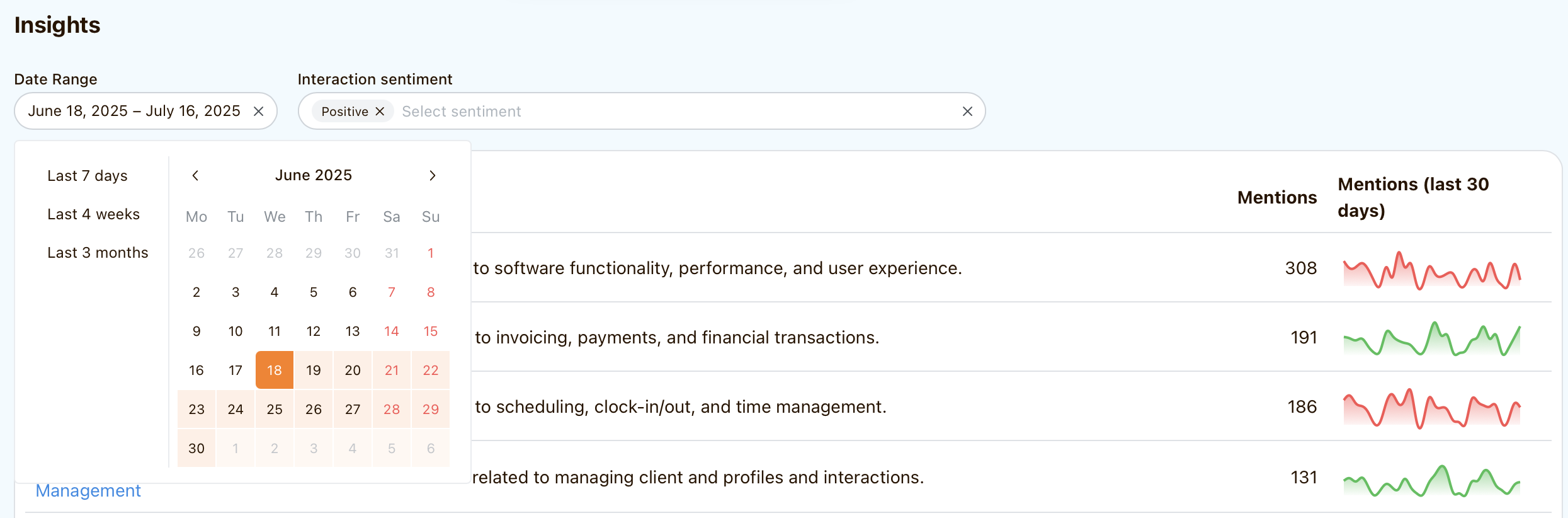
Calls and emails are now shown on each company profile. They are also taken into account when extracting topics and analyzing sentiments.
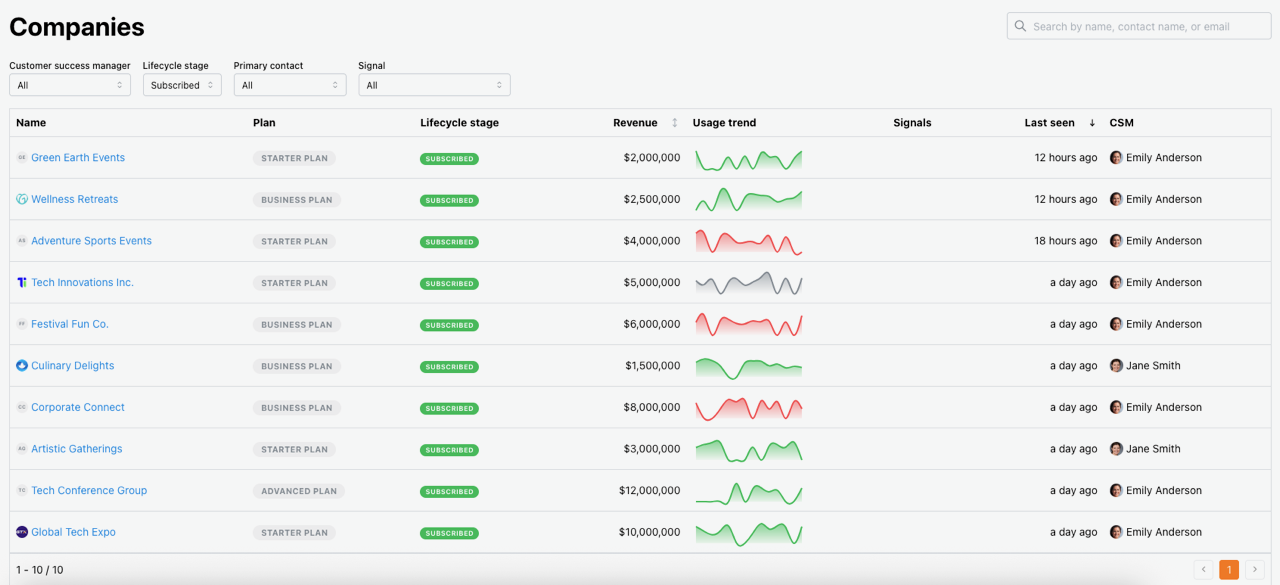
Revamped company list#
Company list now is much more convenient to use and shows more useful information at a glance.
- Companies can be filtered by CSM, lifecycle status or signal.
- Companies can be sorted by revenue.
- Signals indicate that there have been important developments related to customer
Executive dashboard & signals#
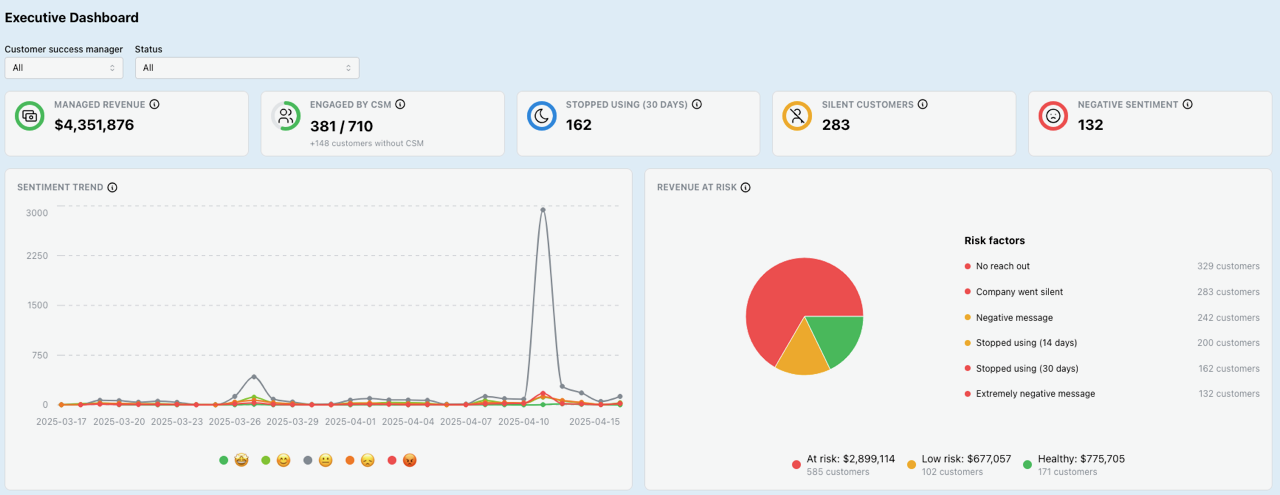
Introducing Executive dashboard which allows to track your company portfolio at a glance.
It highlights the most important events, such as:
- No reach out (companies that were not contacted by CSM in the last 45 days)
- Company went silent (companies that did not engage with your organization in the last 45 days)
- (Extremely) negative message (companies that expressed a certain sentiments in an email conversation, customer support chat, or a call)
- Stopped using (companies that stopped using the product 14 or 30 days ago)
These signals can show that a customer needs extra attention, or act as an early indicator of churn.
Assignments to CSMs #
Each company can now be assigned a customer success manager and filter data on assistant, action hub and company list screens.
If a CSM is assigned to a company, new conversations will be initiated from that CSMs email account.
Using product events to personalise email drafts #
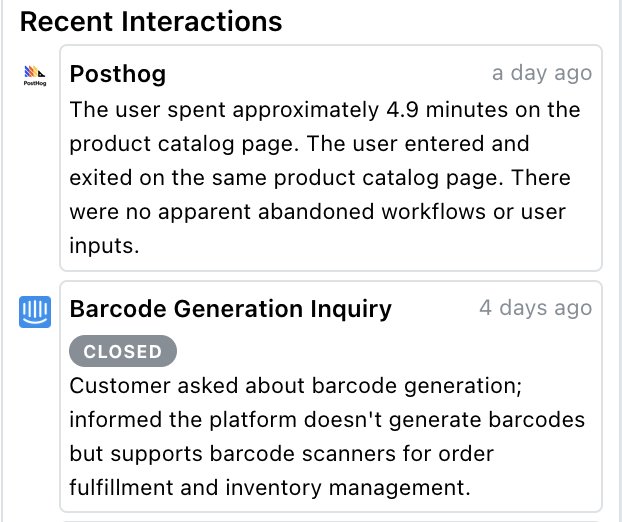
We summarize high volumes of product events (from Mixpanel, Posthog etc.) and use them to personalize the conversations.
Zoho CRM integration#
Zoho CRM integration is now available to sync your companies and contacts into Cust.

Organization member management #
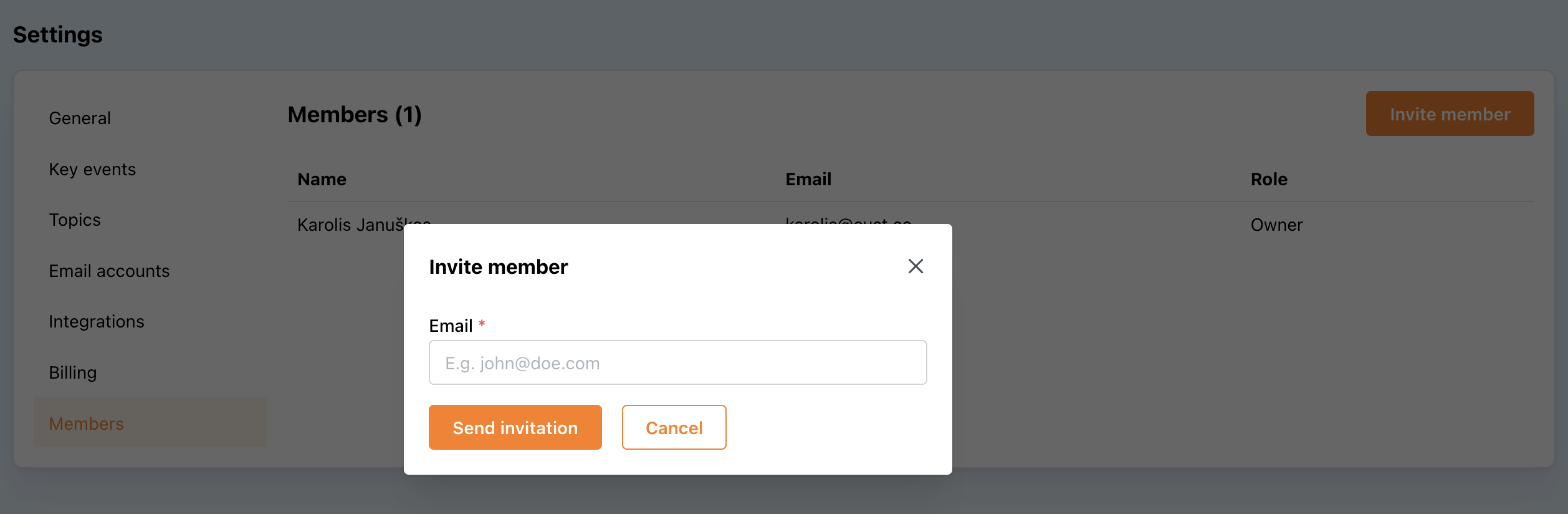
Implemented a member management feature to invite colleagues to join your account.
US region availability #
Cust has been deployed in US region for those customers who require that data never leaves US. Currently we have two deployment regions: EU and US.
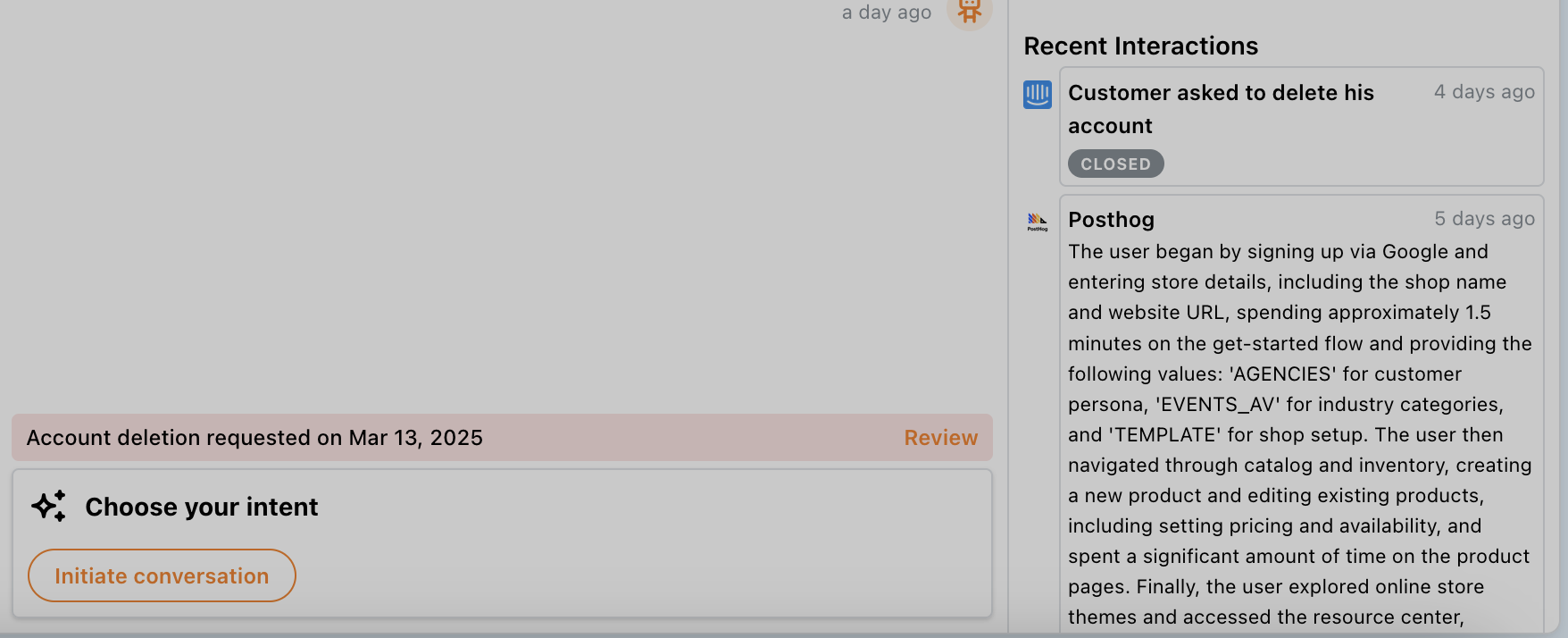
Intercom conversation analysis#
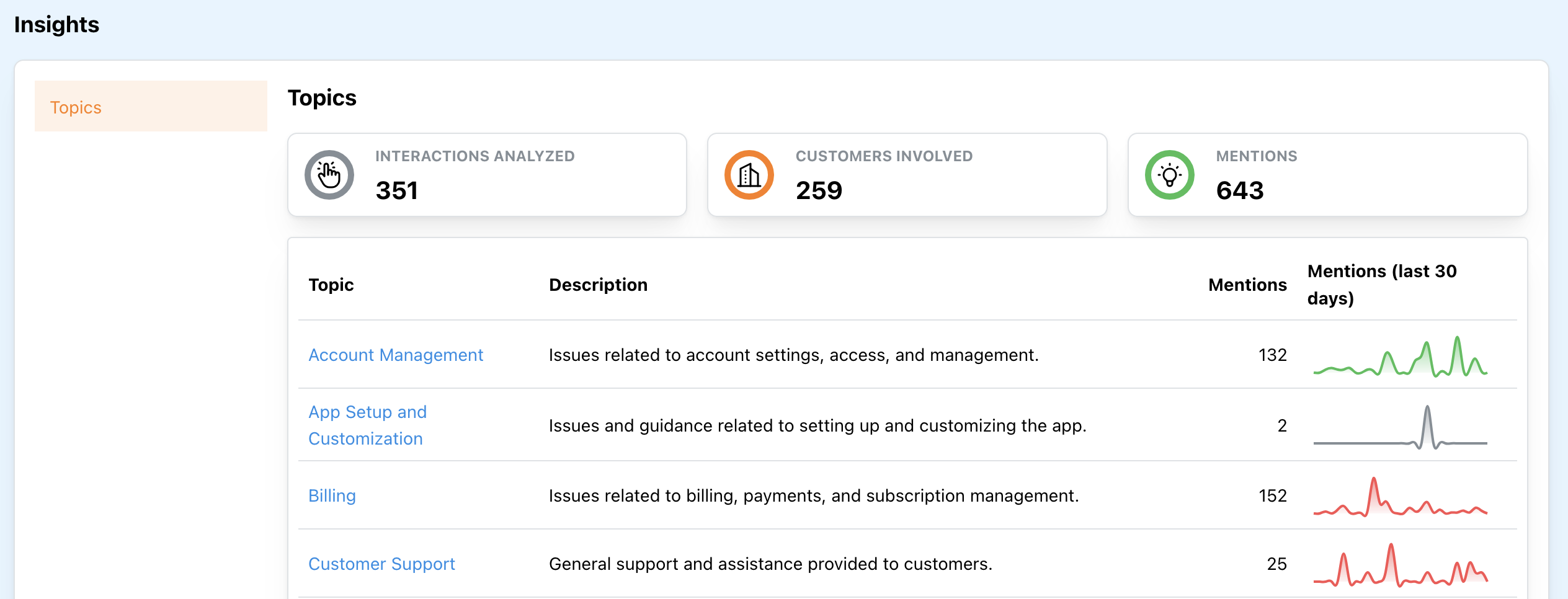
Customer support conversations from Intercom are now synced into Cust.
Each conversation is clustered by topic so that you can learn what your customers are talking about without reading the whole conversation.
Conversation content is also taken into account to determine conversation relevancy, For example, if a customer is asking CS to delete his account, the platform is smart enough to know that we should not upsell a new product.
Plays with multiple objectives #
Plays can now support multiple objectives. I.e. you can set up a play that can aim for multiple goals (e.g. collect information from the customer and then schedule a meeting) when keeping the context of the same conversation with the customer.
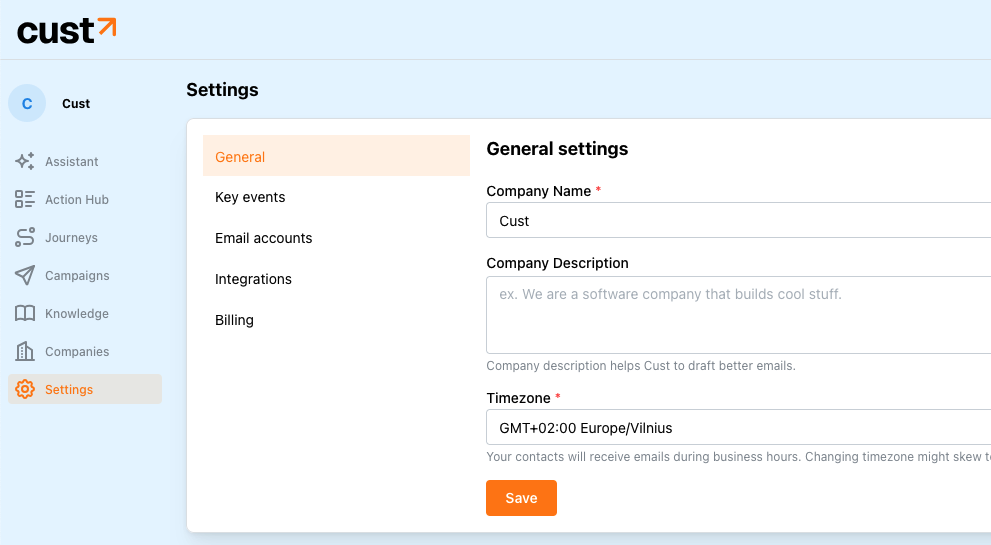
Redesigned Settings page#
We completely redesigned and simplified navigation in Cust settings.
Batch of smaller updates#
- Fixed an annoying race-condition when Salesforce access tokens were lost under certain circumstances and users had to re-connect their Salesforce accounts.
- Added an option to always add customer's account manager to CC when sending emails via Cust.
- Users can add other recipients to CC when sending emails via Action hub.
- "Update contact details" actions are now segmented by play on Action hub to make it easy to distinguish actions belonging to different plays.
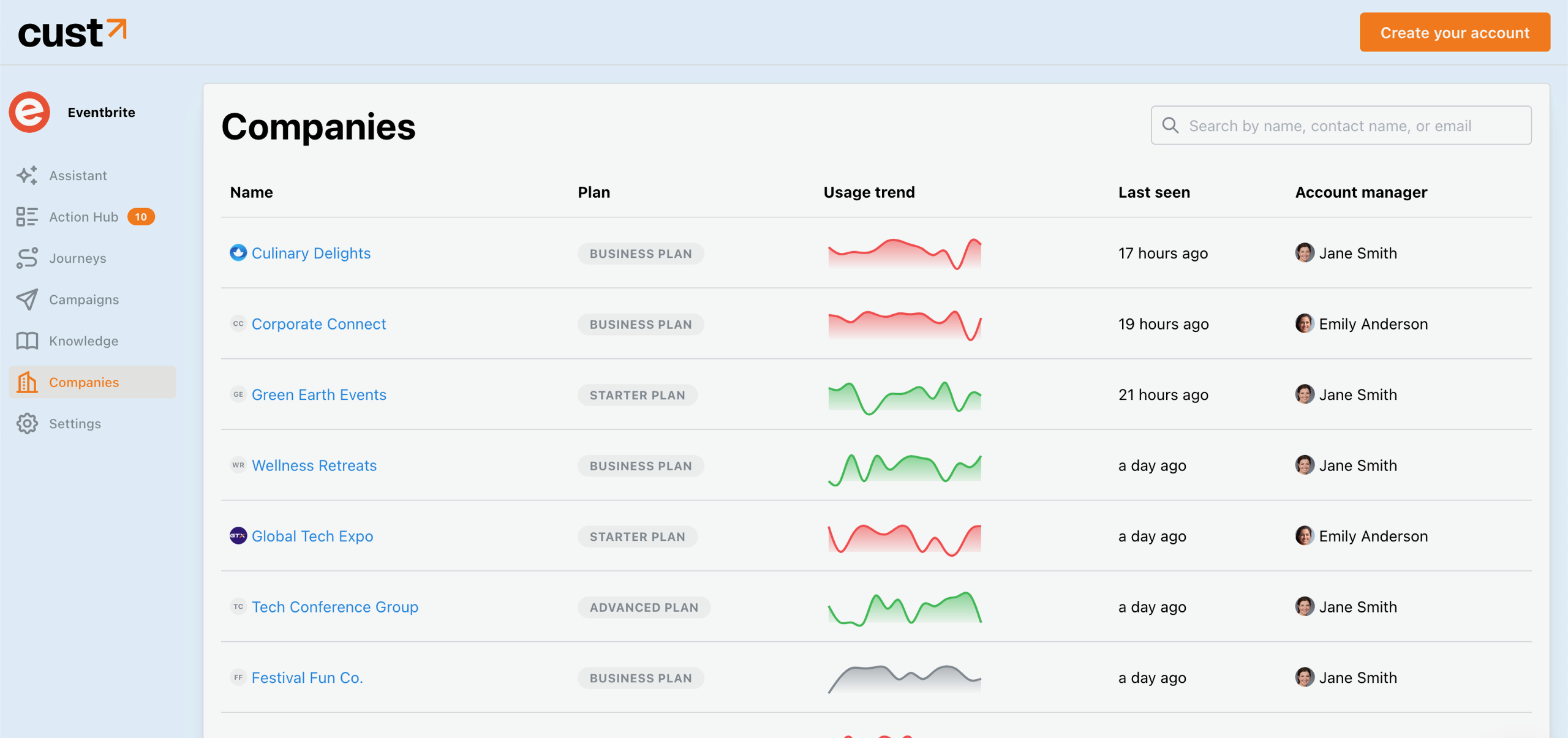
Revamped customer details page#
- Company list now includes more information like plan, usage trend, account manager and an indicator when the company was last active in your product.
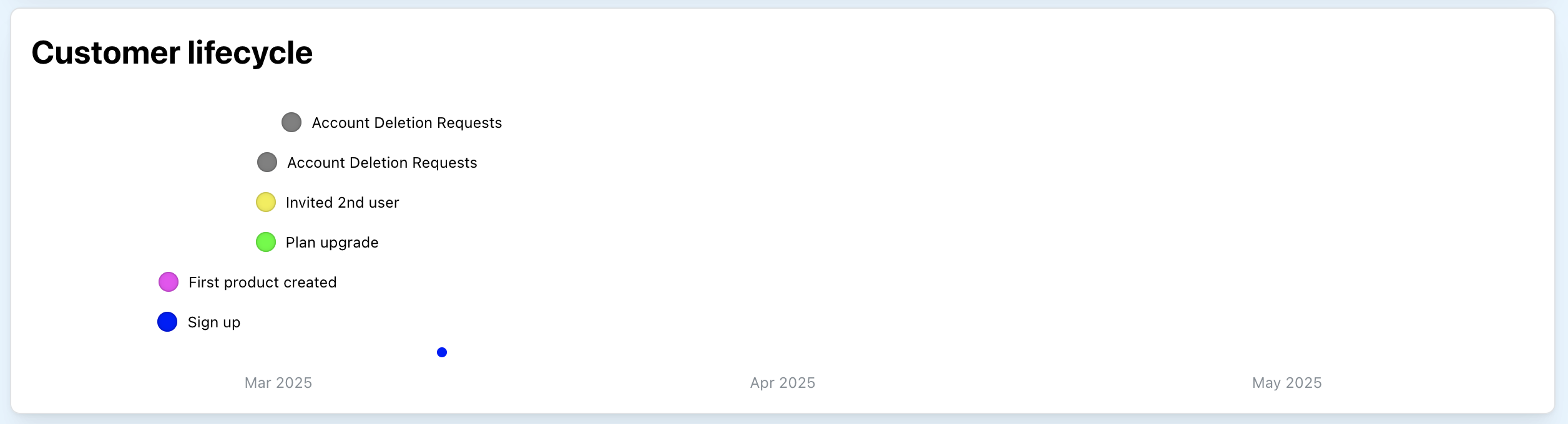
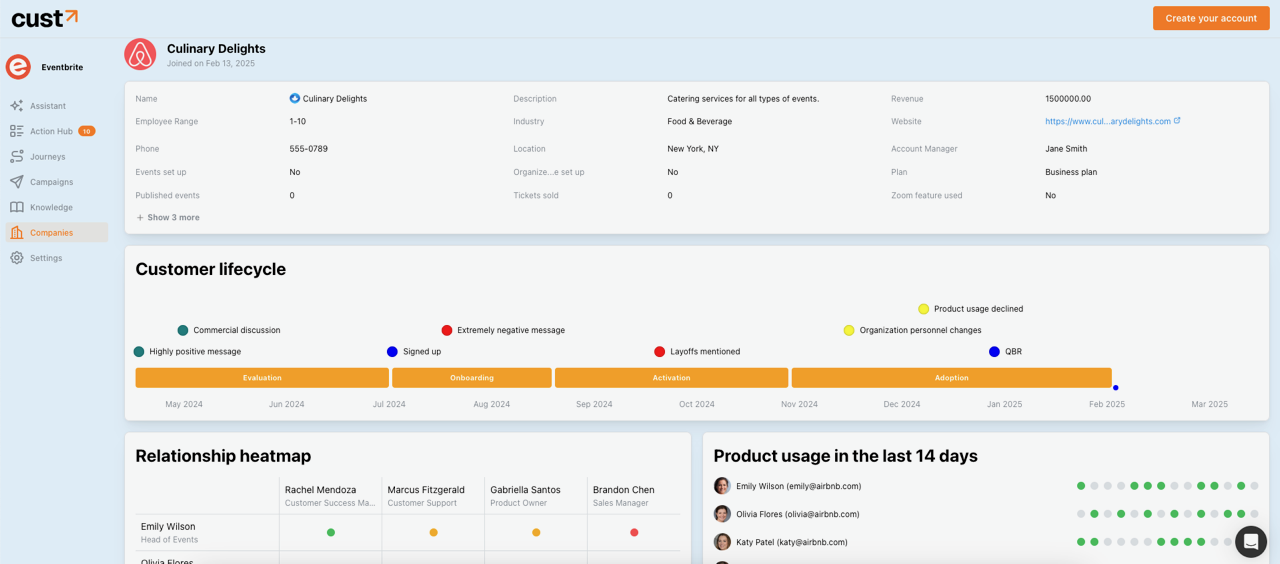
- Company overview now includes a visual overview of key events and stages in the customer lifecycle.
PostHog product event ingestion #
Product events from PostHog can now be used as triggers for plays in customer journeys. For example, you can use a "plan downgraded" event as a signal to initiate a churn recovery play.
PostHog integration#
PostHog integration is now available for more powerful customer journeys and user behaviour insights.
Demo environment#
We build a fully featured demo environment that allows to navigate and try most features of the platform to better understand how it works.
Link: https://app.cust.co/demo
Simulate conversation#
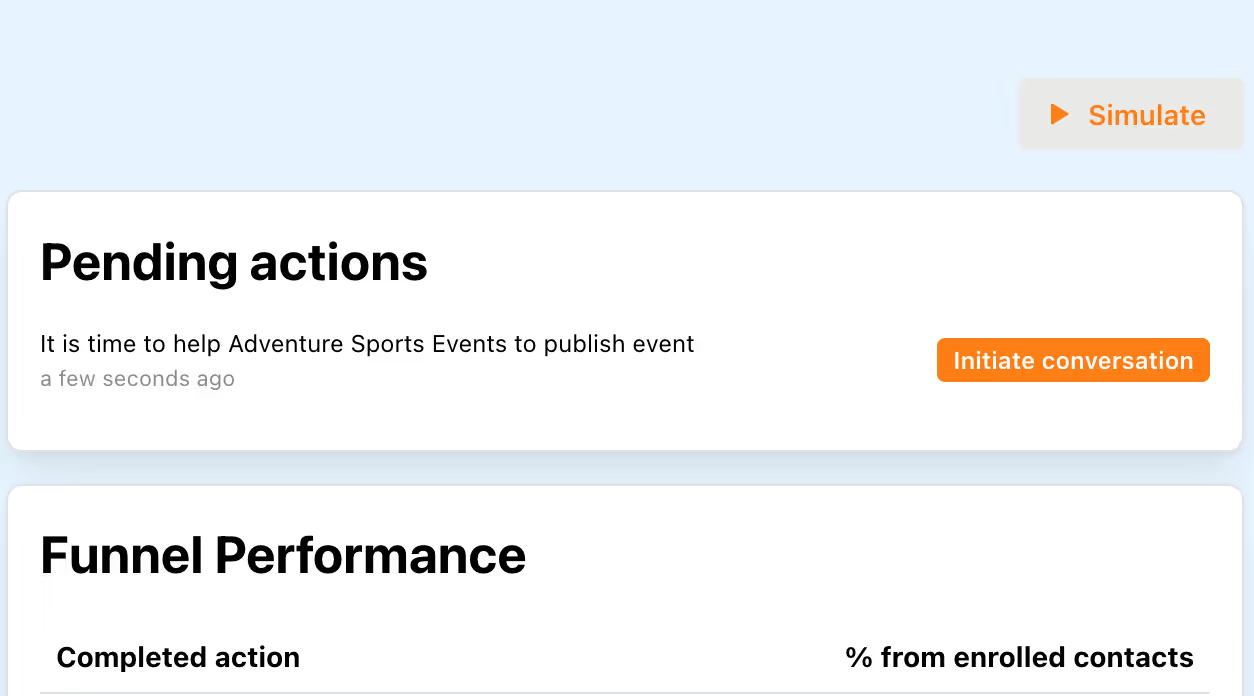
We made it possible to simulate how AI agents react to responses from your customers in launched plays/campaigns and ongoing conversations.
To simulate a play or a campaign, look for "Simulate" button on the play/campaign page.
Email verification #
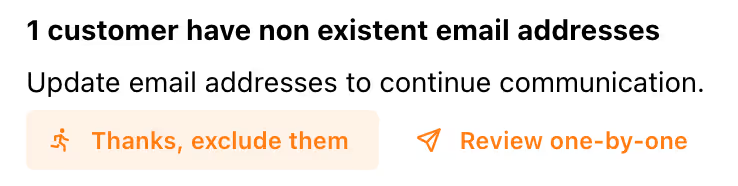
Email addresses are now verified before initiating communication to improve email deliverability and reduce number of bounced emails. When we detect that an email might be invalid, you have an option to update it, or exclude the recipient from communication.
Action dismissal and removing customers from journeys#
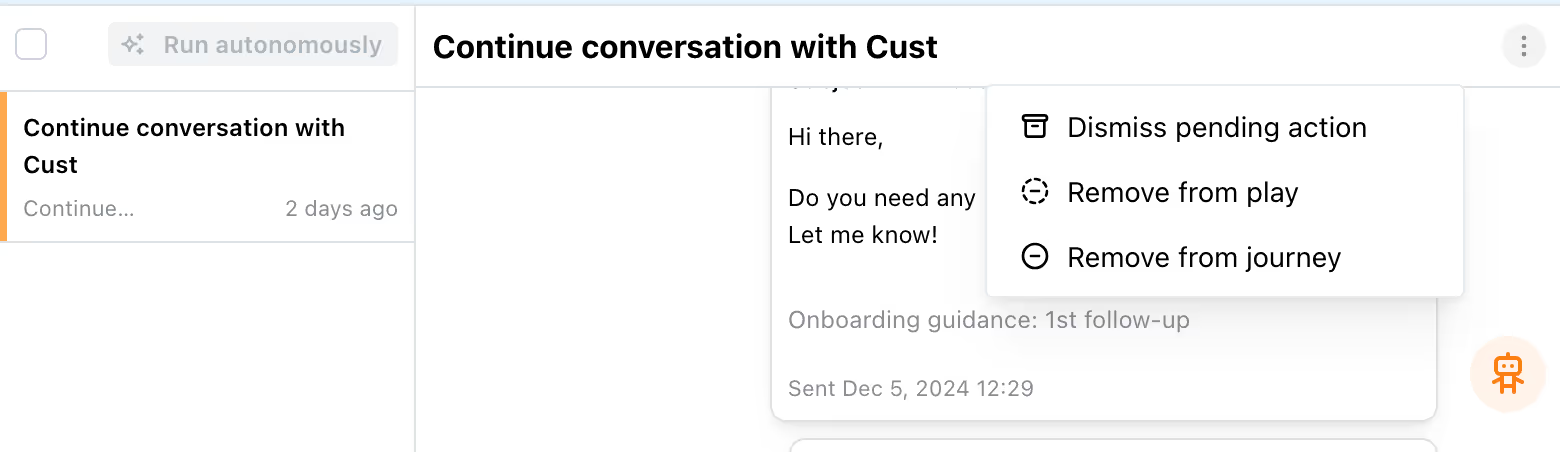
Even though your customer journey is built with best CSM practices in mind, there might be cases when you have your reasons not to follow a suggestion that comes from Cust. To deal with such situations, you can now dismiss a pending action. If you do not want to receive any more action recommendations for a specific customer, you can choose to remove it from the current play or the whole journey.
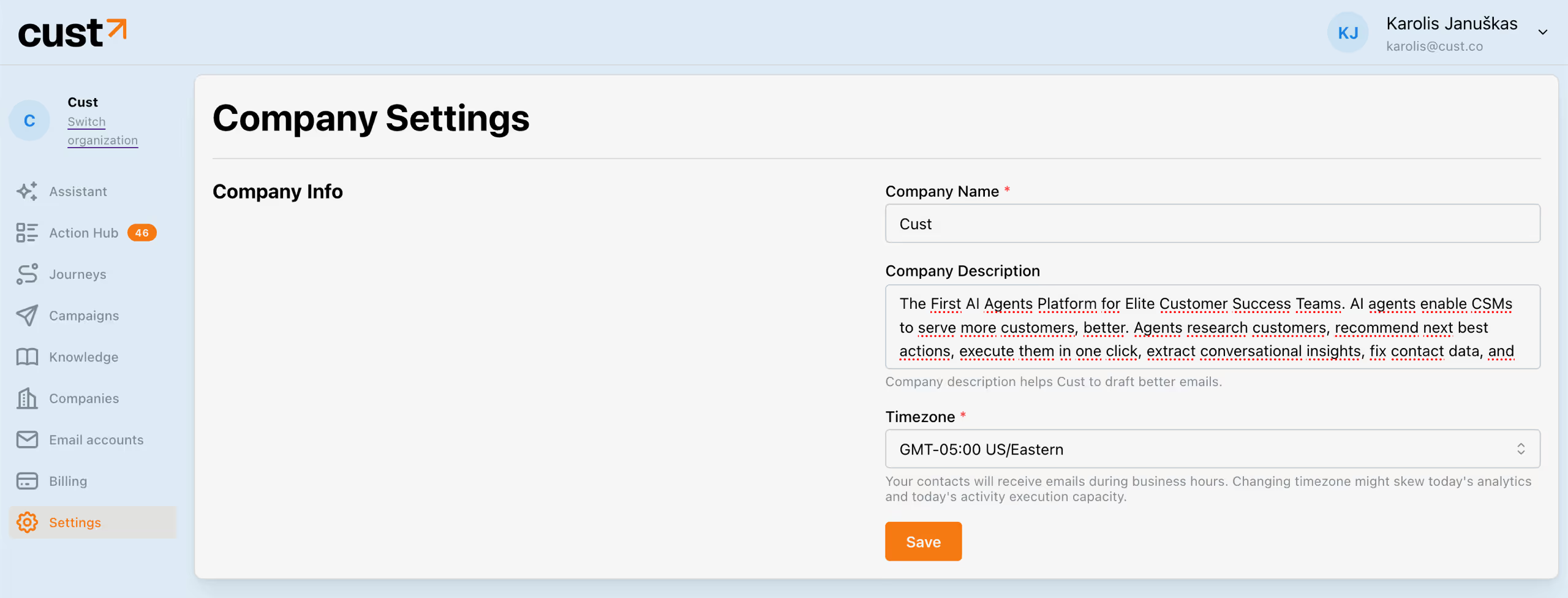
Added company description field to company settings#
Additional context about your organization helps Cust to draft better emails and respond to your customer inquiries more accurately. If you haven't filled in your organization description yet, you can do so by navigating to Settings tab.
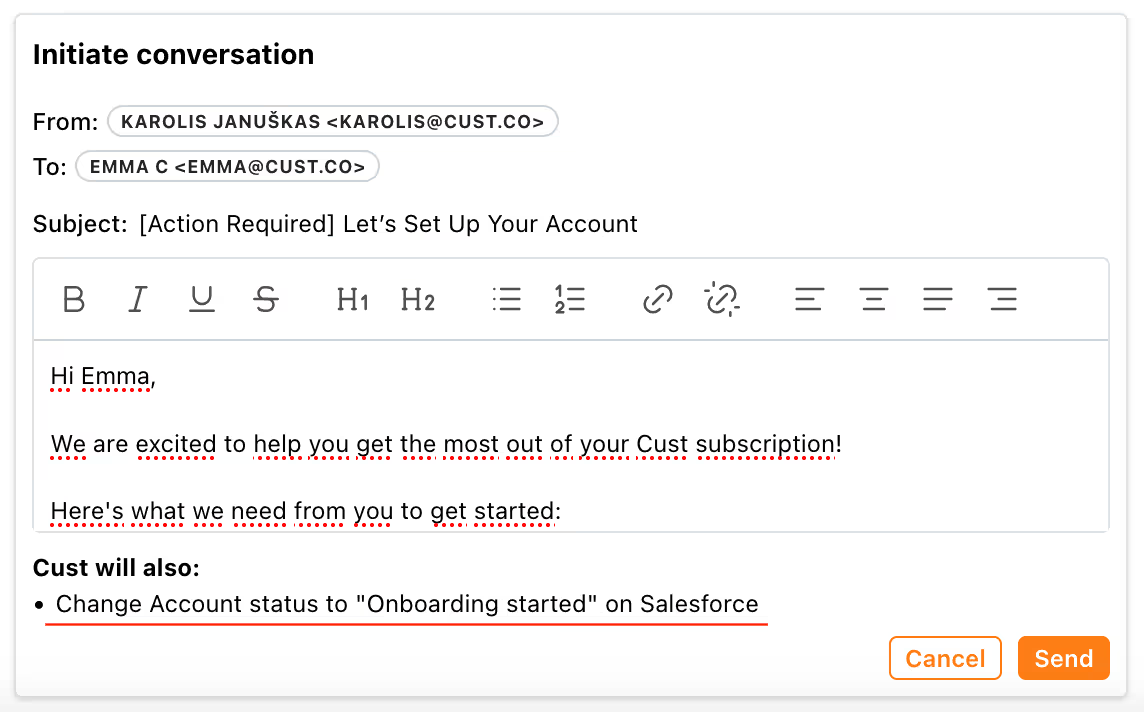
Effects #
Introducing a new concept called Effects. You can now make update data on 3rd party systems based on activity on Cust. For instance, you can update account's status on Salesforce when a customer finishes onboarding, or add a note on a contact if customer's email bounces.
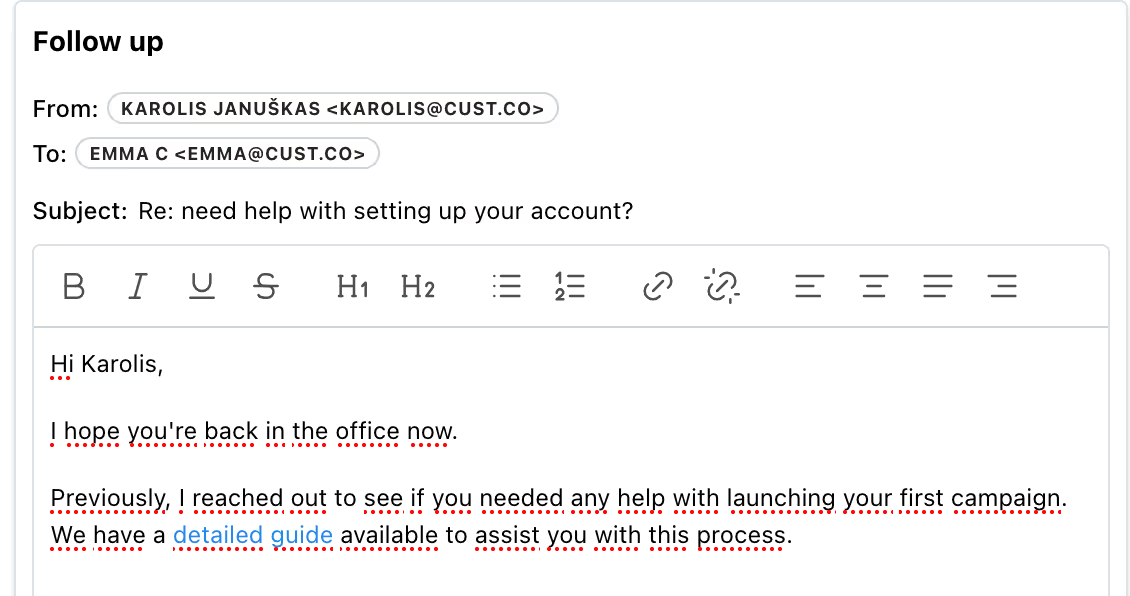
HTML email support#
Cust now allows you to send and receive emails with HTML tags. This enables formatting features, such as highlighting text, adding links, or images etc.
It also becomes possible to update the email subject when initiating conversations with your customers. Just click on the subject line to edit it.
Introducing Assistant – the new homepage of Cust platform#
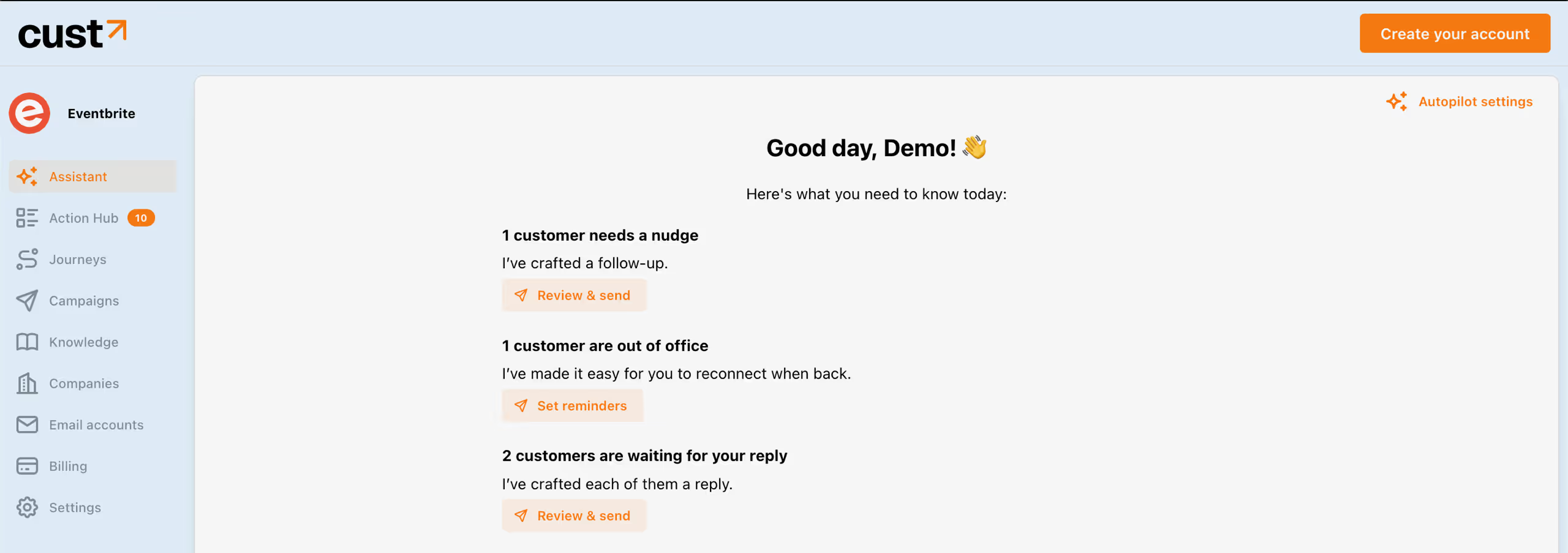
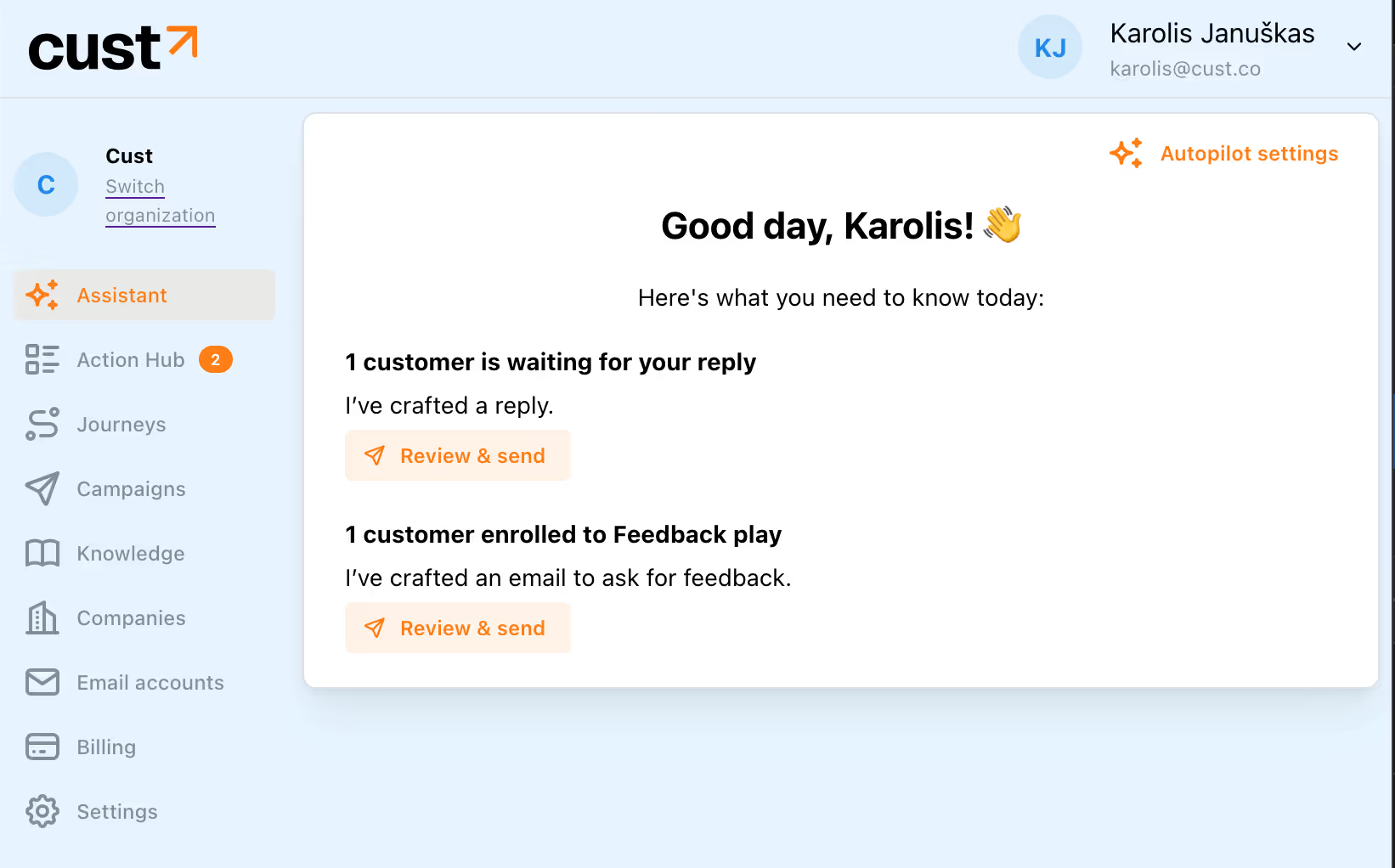
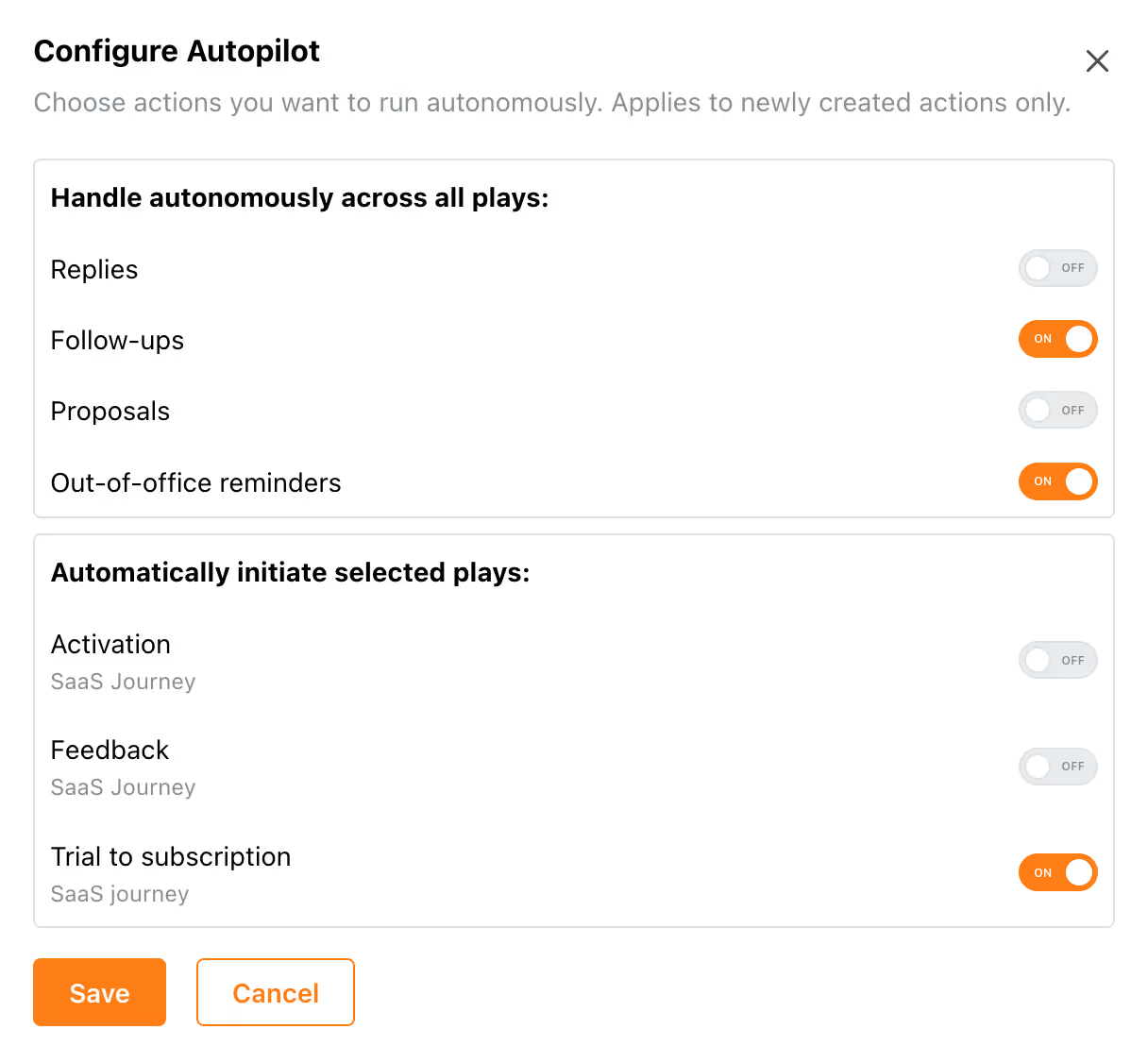
On the Assistant screen, you can see an actionable summary of all your pending actions, and get valuable insights, and recommendations. It also enables you to access Autopilot settings so that certain actions get executed autonomously without you lifting a finger.
Salesforce integration#
One-way Salesforce integration enables Account, Contact, or a custom object sync from Salesforce to Cust.
More contextual information about customers to Action hub#
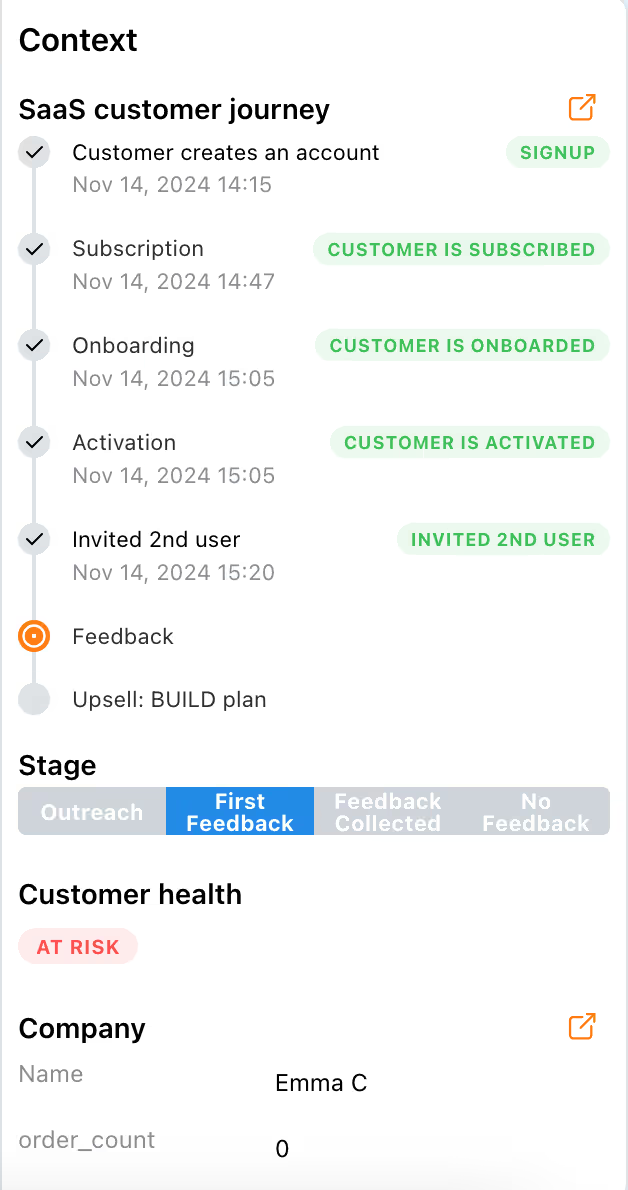
We've added a lot more information about customers to Action Hub's Context panel to make it easier for CSMs to make informative decisions, such as:
- Current place in customer journey
- Current play's objectives and outcomes
- Customer's health score
Real-time data sync from Intercom#
Company and contact updates on Intercom will now reflect on Cust in real time. This compares to a previously daily sync frequency and allows Cust to instantly react on changes in the customer's profile.
Customer journeys#
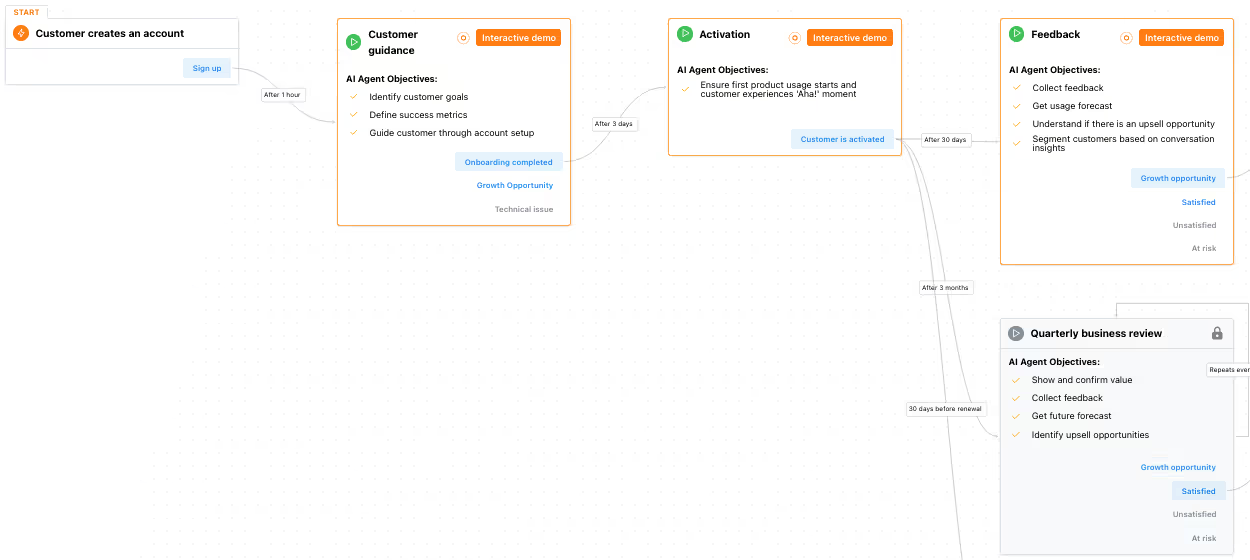
Customer journeys allow to connect multiple playbooks into one flow that represents customer lifecycle. Our intelligent agents will understand where each customer lies in the journey and will recommend the next best action based on that.
To learn more about customer journeys, check out our demo: https://app.cust.co/customer-journeys/showcase.
Action hub#
We are introducing an Action hub. A workplace for Customer success managers where they can discover and execute actions recommended by Cust.
Action hub also supports follow-up and out-of-office reminders so that you never forget to follow-up your customers when they do not respond for when they get back from a short vacation.
Intercom integration#
We've built an integration with Intercom to synchronise customer data and analyse conversations.
Improvements to contact upload screen#
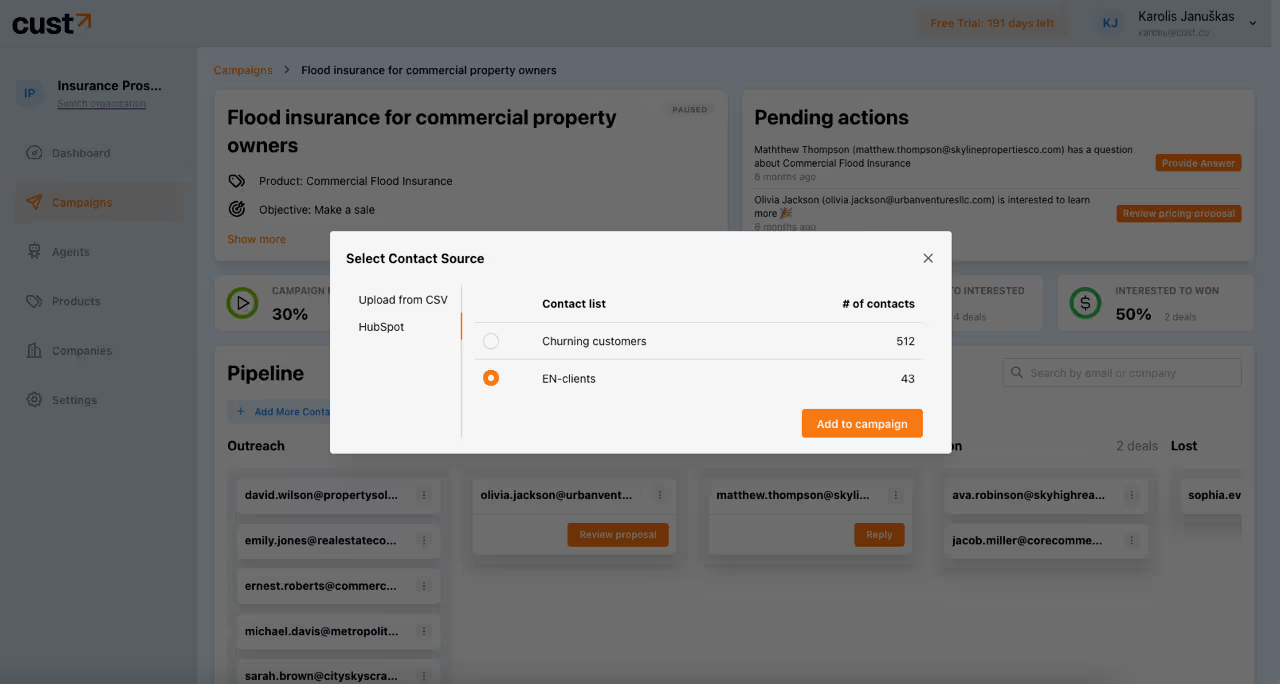
- Long-running contact imports from large CSV files are now gracefully handled with progress indicators.
- Added an option to add contacts from Hubspot contact list to campaigns.
Tiny but mighty updates#
- To further develop co-pilot capabilities, all suggested email replies now require explicit user approval.
- Play simulation now informs users when agent is missing contextual information to suggest a reply.
Custom objectives for Campaigns and Plays #
The platform is now able to drive communication towards an objective which is tracked by a custom customer attribute. For example, the platform can ask the customer to submit his first order and terminate the communication once customer's attribute "order_count" becomes greater than 0, which indicates that the order has been submitted.
Cust & Hubspot integration#
Cust will work alongside your favourite CRM or Customer Success Management Platform. Today we are happy to announce our first integration - HubSpot!
Cust connects to your HubSpot lists, contacts, companies, and deals to build and run your ideal customer journey. It's a native two-way integration, so data can be automatically in-sync between platforms. For example, Cust platform can engage customer to check their billing details, give interface to update it, and send updated credentials back to your CRM.
Introducing Onboarding play#
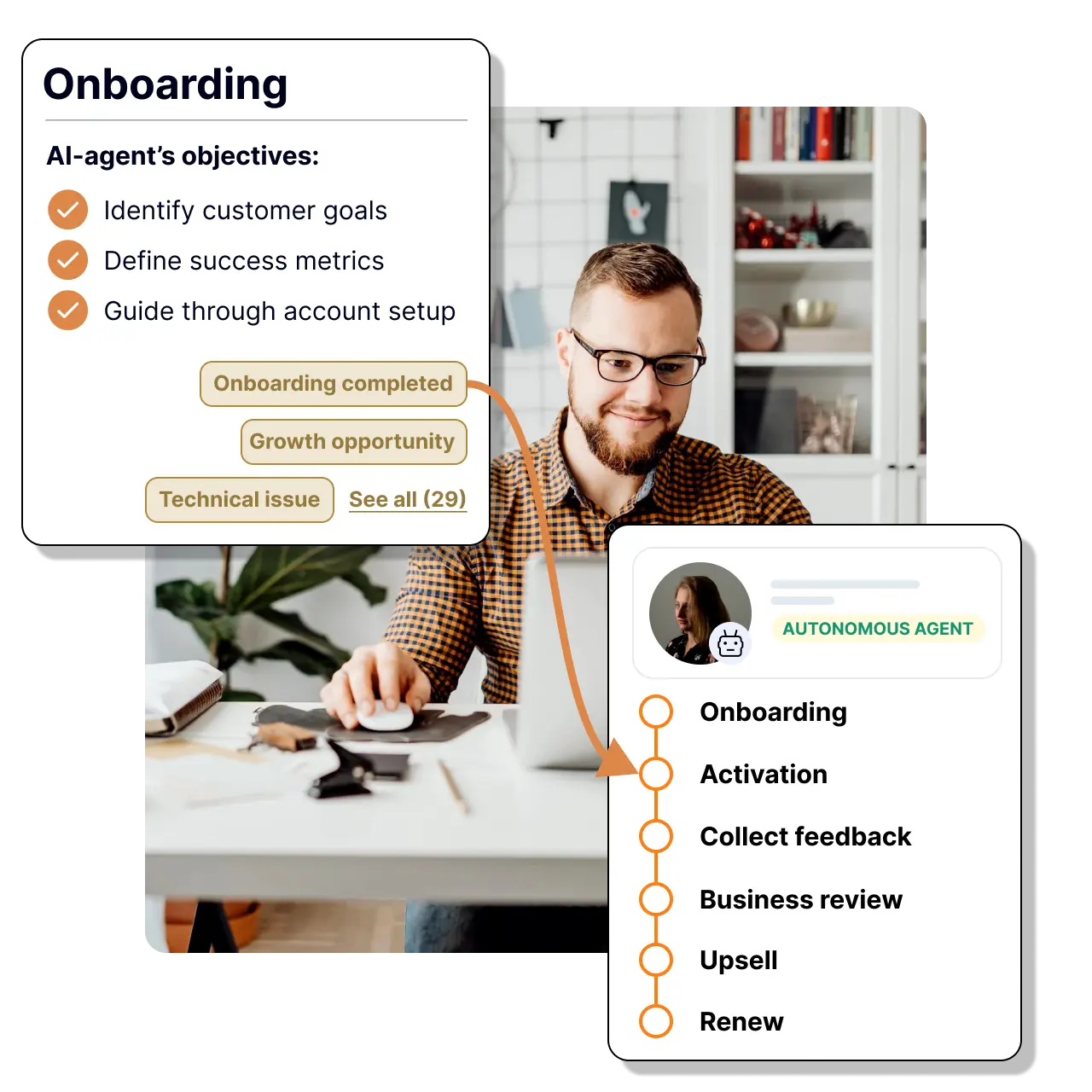
Onboarding play helps to move users from the sign-up to the activation stage. AI agent will ask customers about their goals, identify success metrics, and guide them through account setup.
How it works:
- Define the steps user needs to complete to be onboarded (e.g. use feature X, upload documents, and so on)
- AI agent will check the status daily and engage customers with email conversations to help them complete onboarding
- You have full control over the frequency of messages, tone of voice, and other high-level settings
Benefits
- Increase activation rates
- Reduce time-to-value for new users
- Personalize the onboarding experience at scale
- Free up your support team's time
- Gain insights into user behavior and pain points
Feedback play results demo #
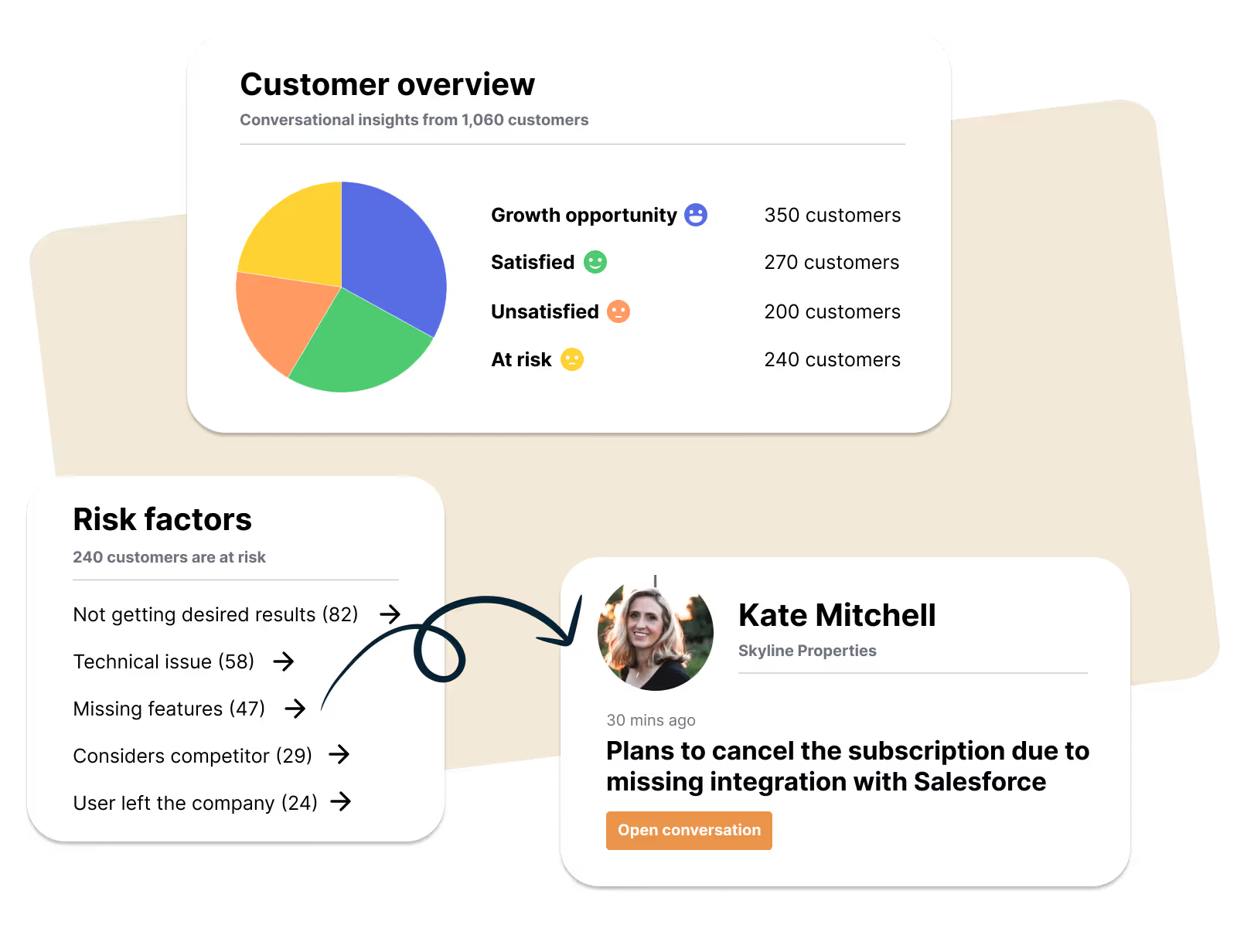
Imagine if you could initiate one-to-one conversations with every customer, despite their size, to collect their feedback and future plans.
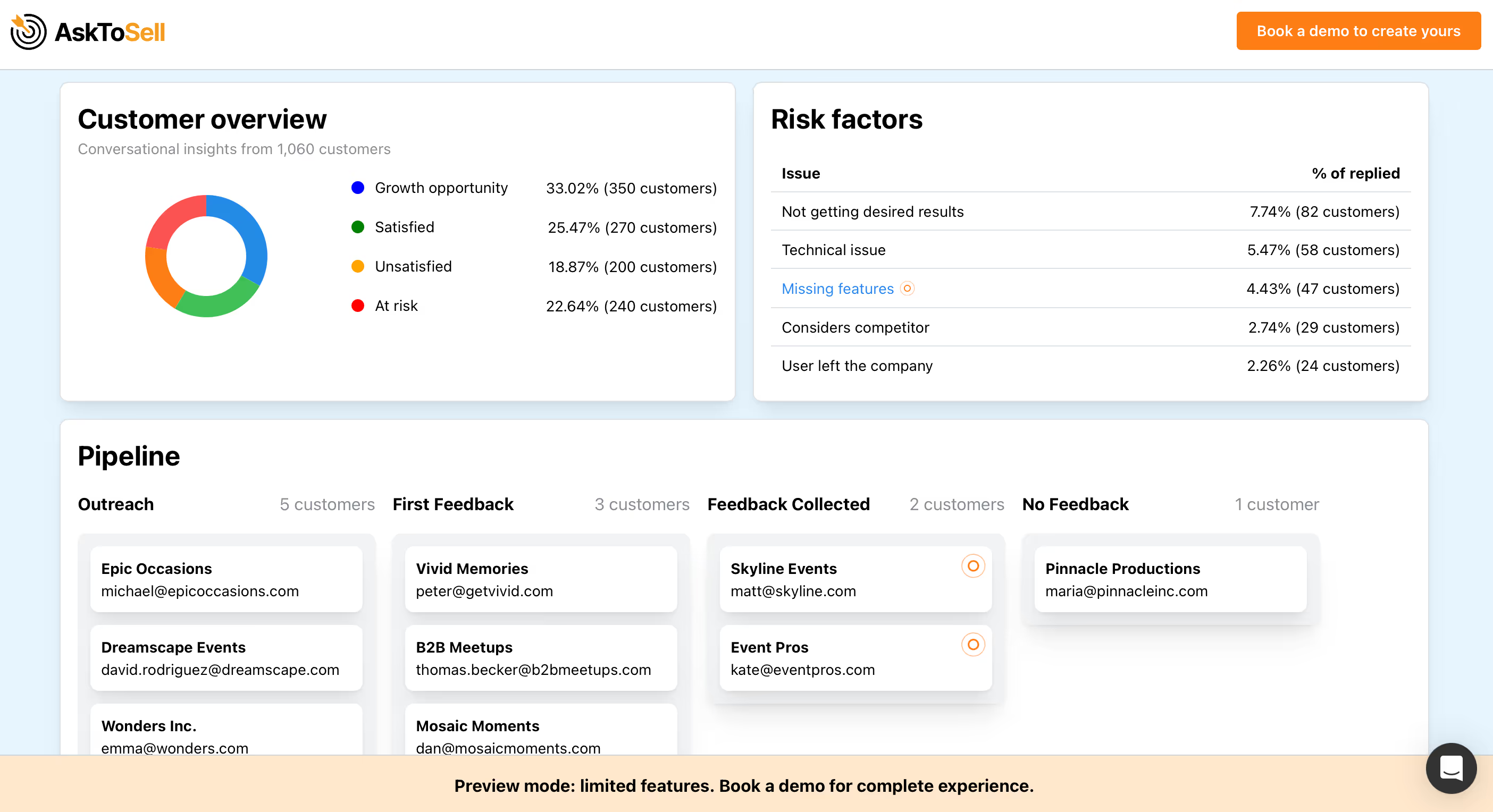
Well, now this is possible with "Feedback play" which will help you collect genuine customer feedback. AI-agent will engage your customers with a conversation to understand their satisfaction levels, get specific insights on what could be improved, and understand future usage patterns. These insights are then used to segment customers automatically.
How it works:
- AI agent introduces each customer via email and asks for feedback
- Agent leads the conversation to extract necessary details for segmentation
- Insights are used to segment customers and provide you with actionable results
You can see the demo results here: https://app.cust.co/plays/feedback/demo
From campaigns to customer journeys #
Since our launch earlier this year, we've observed a significant challenge facing marketing and customer success teams: the time-consuming process of campaign creation. Teams struggle with multiple aspects, including:
- Coming up with the campaign idea
- Identifying target audiences
- Manually segmenting these audiences
- Crafting compelling calls to action
- Leveraging insights from past campaigns
We are starting to change that - meet Customer Journeys.
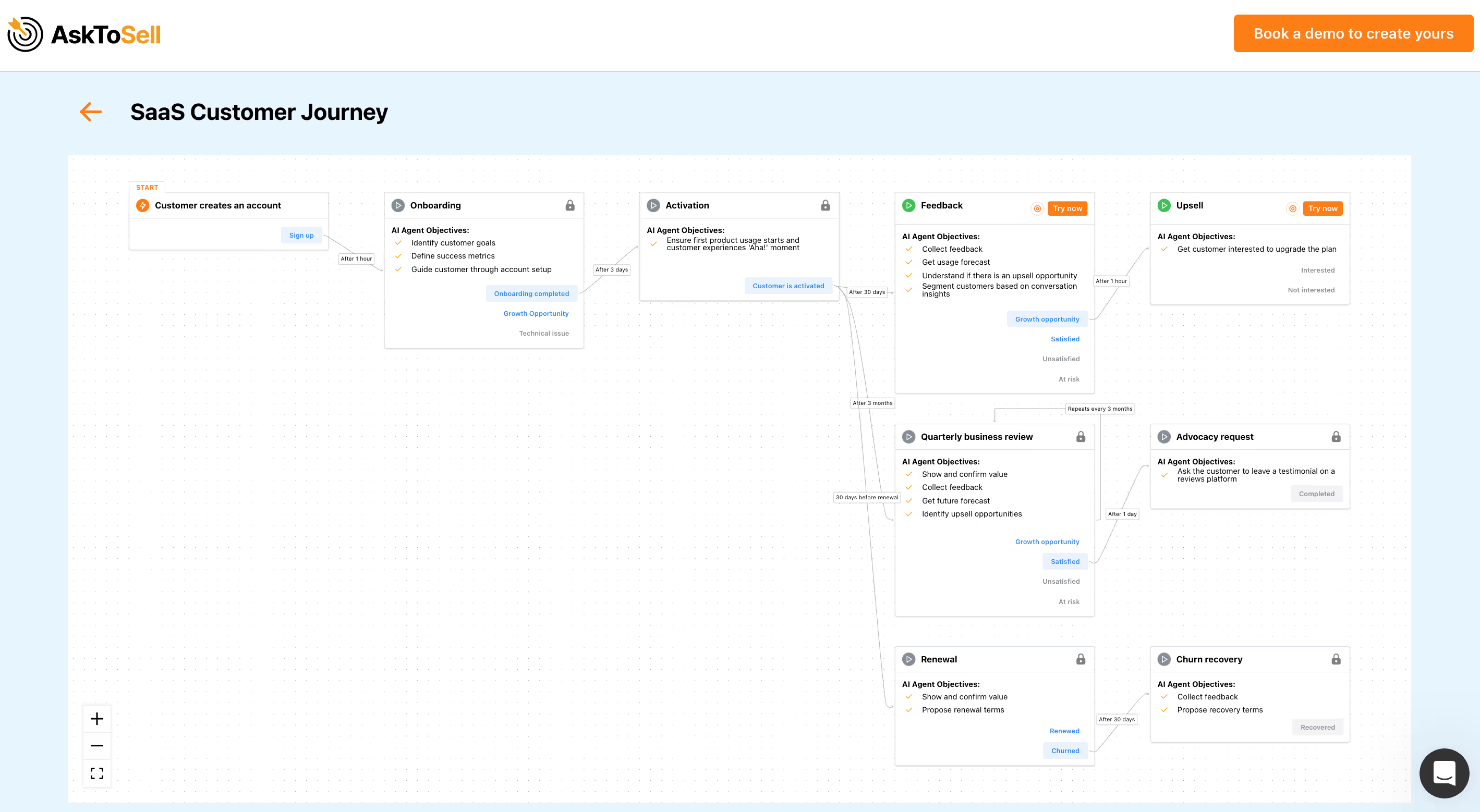
From now on, the platform will autonomously get to know your customers, identify where they are in your ideal customer journey, and throughout their lifecycle execute relevant playbooks. You'll get full controls and customization options to build the ideal customer experience.
With this release we are introducing a visual way to explore customer journey: https://app.asktosell.com/customer-journeys/showcase
Redesigned conversation interface#
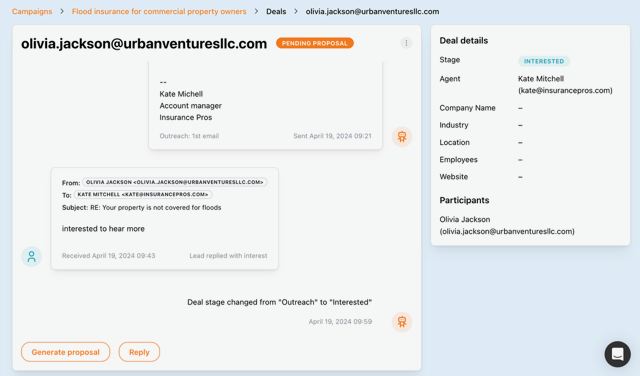
Completely redesigned conversation interface that allows users to review and confirm agent-generated replies in the most critical situations. The new interface also makes it easy for users to jump into any conversation as the system allows users to send custom replies anytime.
Simplified campaign creation#
We have simplified the campaign creation process for accounts with 1 user by removing the account manager field. If you have more than 1 user, you'll see a drop-down for a convenient assignment of the responsible person.
Also, on the campaign page, you will now see a full list of assigned agents.
Notifying users about replies after deals are won#
Previously, if a lead replied after the deal was considered as won, platform ignored such emails. However, if an agent is using an alias email account, such replies might go unnoticed. Therefore, we introduced a new type of notification to inform users about such replies.
SMTP/IMAP agents#
Developed SMTP/IMAP protocol integration for agents.
Currently running as a closed beta - let us know if you need prioritized access.
Custom Lead Attributes #
Now you can pass any attribute about the lead as a custom variable.
Our customers are using it to pass unique information about each lead. For example:
- the ticketing platform is passing a number of events organized per host;
- the seo platform is passing unique seo recommendations for each customer's domain;
- entertainment company is passing the last visit time.
This information is used by an autonomous sales agent to personalize the sales experience with each lead/customer.
To use the feature: 1) map custom variables when uploading CSV file and 2) reference custom variable in the sales playbook customization panel.
Improved Visibility for Product and Campaign Settings #
If customer asks a question about your product that the Autonomous Agent cannot answer, the following steps are taken:
- AI Agent will ask you to answer that question
- AI Agent will update your product's knowledge with this question-and-answer pair
- if another lead asks the same question - information gets reused
From now on, you can also proactively create question-and-answer pairs in your product's knowledge base.
We have also improved the visibility of campaign settings. The campaign overview now includes these new settings:
- Objective
- Website conversion OR scheduling link
- Account Manager
- Language
HTML Signatures#
We hear you - some of you want email signatures to be "on brand".
You can now create email signatures that include links, images, and other HTML elements.
As a bonus, we have included a setting that allows you to control if a signature is included in every reply or only in the first email.
Enjoy and use it with caution - links and images may impact deliverability.
New Campaign Objective: Website Conversion 📈#
When creating a campaign, now you can set website conversion as an objective. Once you set this objective, AI Sales Agents will optimize their playbook to convert leads to visit your website. AskToSell customers are using this objective to drive traffic to their landing page, sign up or checkout forms.
Sales Playbooks 📋#
The Sales Playbooks feature is our major step towards enabling any company to automate their revenue workflows.
Version 1 allows you to customize the content logic, frequency, and intensity of your campaigns.
To access it, create a campaign, navigate to preview mode, and look for the "customize" buttons in the playground. Custom playbooks can be saved and reused in any campaign.
Organizations and Sub-users 👥#
We're excited to announce a new layer of organization and collaboration within AskToSell:
- Now organizations can have multiple users
- Users can belong to multiple organizations
Feature is enabled to selected partners. To unlock access, let our team know via Intercom..
Pipeline Search 🔍#
Finding the right deal at the right time just got easier! Introducing Pipeline Search, a powerful new feature that allows you to quickly search and filter deals within your pipeline. You can search deals by email or company name. To use it, go to Campaigns and scroll down to the Pipeline overview.